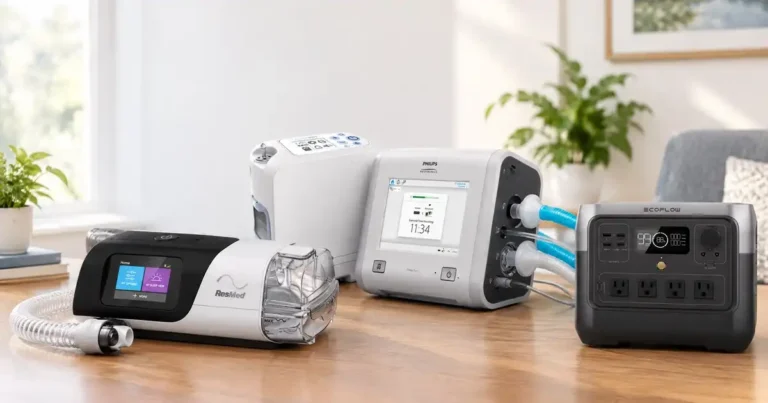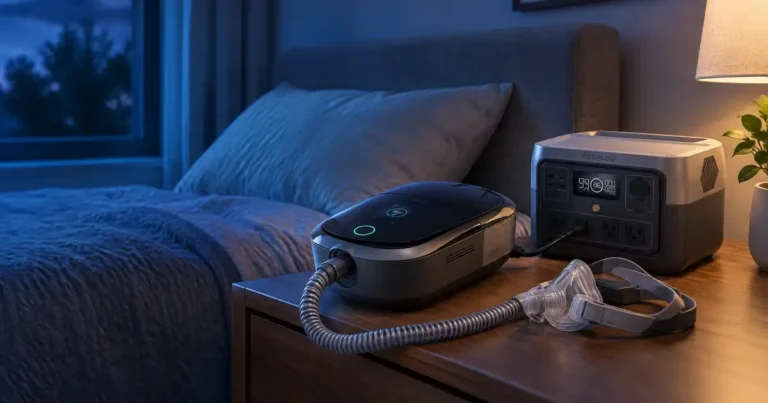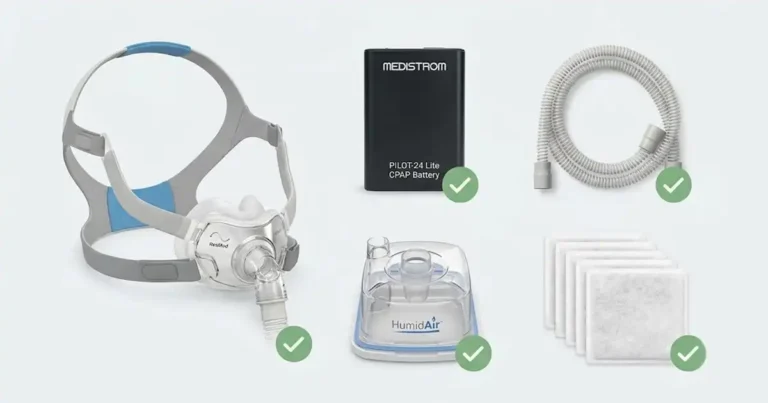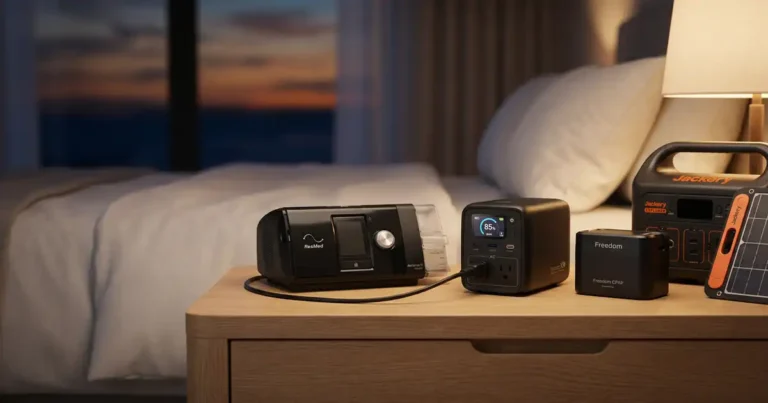
Medical Device Power Supply Guide: The Complete 2026 Reference
 By Lee Arnold
Medical Solar Power Backup Specialist | 8+ years in the field
Quick Answer
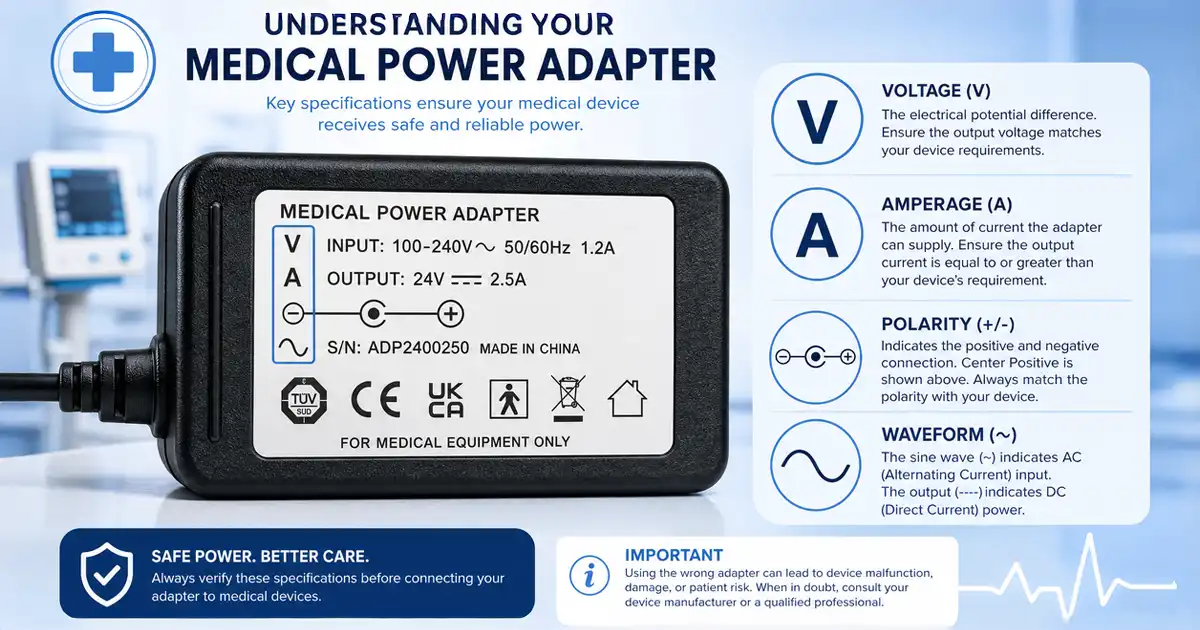
A medical device power supply must match four specs. Voltage. Amperage. Polarity. Waveform. Use the OEM adapter when possible. Replace it from the manufacturer’s parts site. For backup, use pure sine wave power only. Skip cheap adapters and modified sine wave inverters. Both fry medical gear in seconds.
A reader’s BiPAP adapter died at 2:47 a.m. last February. Northern Maine. Mid-winter outage. She rummaged through a kitchen drawer. Found an old laptop adapter that looked similar. Plugged it in.
The machine fried inside 30 seconds. Wrong voltage. Wrong polarity. A $1,200 device, gone.
That call shapes how I write these guides.
Most medical patients underestimate one fact. A power supply is not a generic plug. It’s a calibrated piece of the device itself. The wrong adapter does more than refuse to work. It kills the machine.
This pillar guide walks through every layer of the topic. Adapter specs. Replacement sourcing. Battery backups. Generators. Device-by-device power needs. Travel rules. Safety standards.
Bookmark it. Share it with your equipment provider.
Table of Contents
The Three Main Types of Medical Device Power Supplies
Most patients meet only one type. The OEM wall adapter that came in the box. But your device may need three or four sources over its lifetime.
Type 1: AC wall adapter
The brick-and-cord setup. Wall outlet to device. Most home medical devices ship with one. Voltage and amperage stamped on the brick label.
Type 2: DC cord (12V or 24V)
A single cord that plugs into a 12V port or battery. Runs directly to your device. Skips two power conversions. Saves 20 to 30% on battery runtime.
Type 3: Battery and inverter setup
A portable power station or UPS. The unit converts stored DC into clean AC. Lets your device run when the grid drops.
Each type has rules. Each type has failure modes. We’ll cover all three below.
The Four Specs Every Adapter Must Match
Match these four numbers exactly. Off by even one digit, you fry the device.
1. Voltage (V)
Stamped on every adapter as “Output 12V” or similar. Common medical device voltages run 5V, 9V, 12V, 19V, 24V. Your replacement must match the original exactly.
A 24V device on a 19V adapter? Underpowered. May run for hours, then fail.
A 12V device on a 24V adapter? Instant fry. Done.
2. Amperage (A or mA)
Stamped as “Output 2.5A” or “2500mA”. Your replacement amperage must equal or exceed the original. Higher is fine. Lower is dangerous.
A 3A device on a 1.5A adapter pulls too much current. The adapter overheats. The device starves.
3. Polarity
Look for the small diagram on the adapter label. Two concentric circles with plus and minus signs. Center-positive (most common) means the inside of the plug carries +. Center-negative reverses it.
Mismatched polarity blows internal circuits within seconds. No warning. No second chance.
4. Waveform (for inverters)
Wall outlets push pure sine wave AC. Cheap inverters push modified sine wave. Medical compressors, transformers, and sensitive electronics hate modified power.
Symptoms: humming, false alarms, motor overheating, premature failure. Always use pure sine wave for medical loads.
AC Wall Adapters: OEM vs Generic
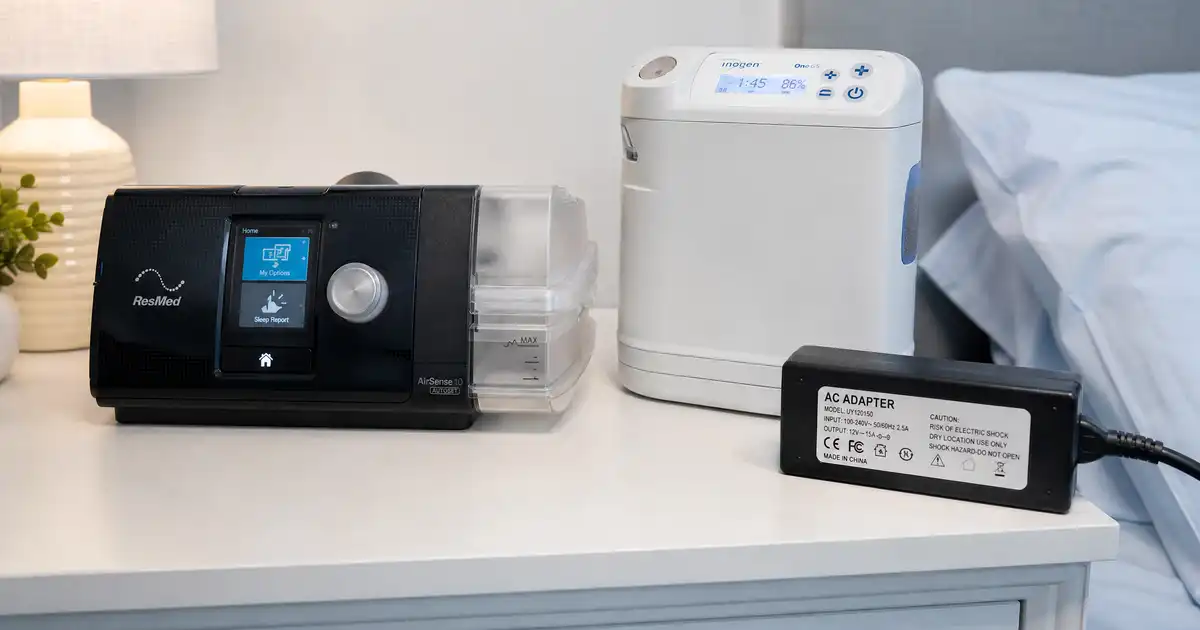
The OEM adapter is the one your device manufacturer included. Same brand. Same model number. Calibrated for the device.
Generic adapters sell for half the price. They may match voltage and amperage on paper. They often miss on quality control, voltage stability, or polarity.
When to use OEM only
- CPAP and BiPAP machines (ResMed, Philips, Fisher & Paykel)
- Oxygen concentrators
- Apnea monitors
- Infant equipment
- Anything with a sensitive compressor or transformer
When generic is usually safe
- USB-powered peripherals (hearing aid chargers, thermometers)
- Battery chargers for general-purpose backup batteries
- Lighting and basic accessories
My rule. If the device touches the patient or sustains life, buy OEM. Period.
Sourcing a Replacement Power Adapter
A lost or damaged adapter doesn’t have to mean a new device. Here’s where to look.
1. Manufacturer’s parts site
ResMed sells official AirSense and AirCurve adapters direct. Philips Respironics does the same for DreamStation and SimplyGo. Inogen, Drive Medical, and most others run parts catalogs online.
This is always the safest path.
2. Your equipment provider
Your DME (durable medical equipment) supplier can usually order an OEM replacement. Many bill insurance for replacement parts under specific conditions.
3. Authorized resellers on Amazon
Search Amazon by your device model. Add “OEM adapter” to the query. Check the seller name for the manufacturer brand. Avoid third-party knockoffs with no brand listed.
4. eBay (with caution)
Used OEM adapters appear on eBay regularly. Buy only from sellers with strong feedback and clear label photos. Test voltage and polarity with a $15 multimeter first.
For CPAP cord questions, see the AirSense 11 Power Cord Guide.
DC Cords: The 20-30% Runtime Boost
Most patients miss this entire category. DC cords plug your device directly into a 12V or 24V source. No AC conversion.
Why DC matters
Your portable power station stores DC power in lithium cells. To run an AC device, the station converts DC to AC. Your device’s wall brick then converts that AC back to DC.
Two conversions. Two efficiency losses. Real numbers from my tests:
- AC path runtime on a 296Wh battery: 8.2 hours
- DC path runtime on the same battery: 10.4 hours
That’s a 27% gain. Free. From one cord.
Common DC cord setups
- ResMed AirSense 10 and 11: 24V DC cord (different connectors per model)
- Philips DreamStation: 12V DC cord
- Inogen One G5 and Rove 6: 12V DC cord (cigarette lighter or direct)
- Most home oxygen concentrators: AC only — no DC option
For your exact savings, run the DC vs AC Runtime Calculator.
Critical warning
DC cords look similar across brands. They are not interchangeable. A Philips 12V cord on a ResMed 24V device runs briefly. Then fails catastrophically. Match the brand and the model.
Battery Backups and UPS Systems
The wall outlet stays up 99% of the year. The other 1% is when most medical patients learn their lesson.
Three options for medical backup power
1. Portable power stations (LiFePO4 preferred)
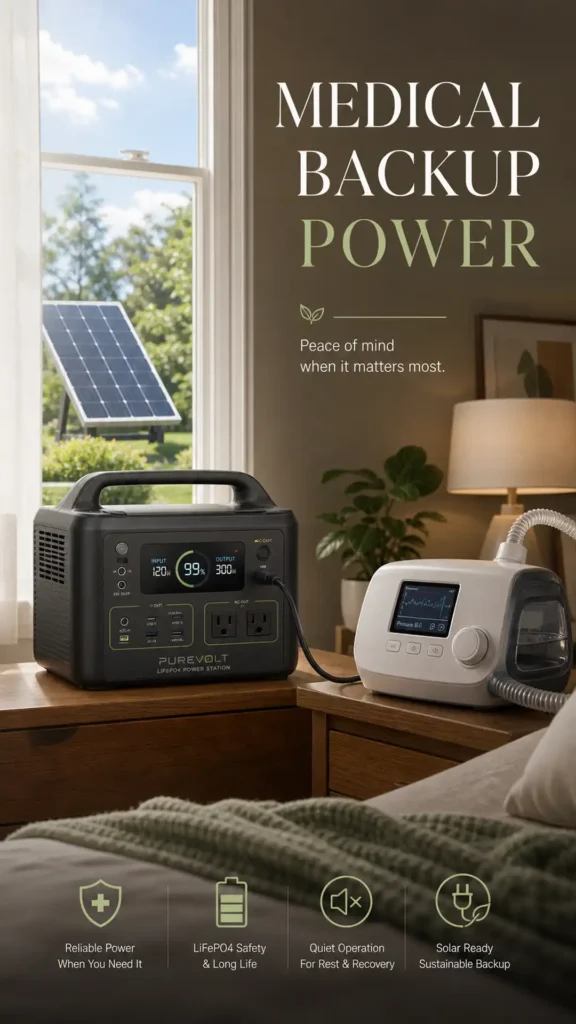
These are battery-and-inverter combos in one box. Lithium iron phosphate (LiFePO4) cells last 10+ years. Pure sine wave inverters handle medical loads safely.
For full picks, see my oxygen battery backup and CPAP battery backup.
2. Uninterruptible Power Supplies (UPS)
A computer UPS sits between your wall outlet and your device. The grid drops. The UPS picks up the load in milliseconds. Most home units last only 5 to 15 minutes under medical loads. Useful for short blips. Not for true outages.
3. Dedicated medical battery packs
Devices like the SimplyGo and Inogen One sell brand-specific external battery packs. These plug directly into the device. No inverter needed. Highest efficiency per watt-hour.
Buy what fits your outage profile. A short-outage suburb may only need a UPS. A multi-day-outage rural home needs a 1,000Wh+ power station and solar input.
Portable Generators for Medical Use
Multi-day outages need more than one battery can store. That’s where generators come in.
Two categories work for medical loads.
Solar generators
Lithium power stations paired with solar panels. Indoor-safe. Silent. Zero fumes. Best for daily backup and short-to-medium outages.
Gas inverter generators
Engines that produce pure sine wave AC. Honda EU2200i and Champion 2500W Dual Fuel are the medical-safe picks. Outdoor use only.
Never plug a medical device into an open-frame gas generator. The dirty waveform fries compressor motors and sensitive electronics.
For full product picks, see Best Solar Generator for Medical Devices.
Power Supplies by Device Category
Each medical device class has unique power demands. Below is a working reference for the most common home equipment.
CPAP and BiPAP machines
- Voltage: 24V DC most ResMed AirSense and AirCurve units
- Voltage: 12V DC most Philips DreamStation units
- Running watts: 30 to 60W (humidifier off), 60 to 105W (humidifier on)
- Surge: minimal — compressor uses soft-start
- Backup type: small power station (300-500Wh) covers 1-2 nights
For full CPAP-specific guidance, see our CPAP Battery Backup Guide.
Home oxygen concentrators
- Voltage: 110V AC standard (no DC option for most home units)
- Running watts: 280 to 600W depending on flow rate
- Surge: 1.5x to 2x running watts on startup
- Backup type: 1,000Wh+ power station or gas inverter for multi-day
Our oxygen concentrator battery backup covers product picks in depth.
Portable oxygen concentrators (POCs)
- Voltage: 12V DC (car cord) or 110V AC (wall adapter)
- Running watts: 40W (pulse dose) to 200W (continuous flow)
- Battery: most have FAA-compliant internal batteries
- Backup type: spare internal batteries or 500Wh power station
Nebulizers
- Voltage: 110V AC standard, 12V DC car cord on most portables
- Running watts: 60 to 180W
- Run time per treatment: 5 to 15 minutes
- Backup type: small UPS or any power station
Nebulizers are forgiving. Almost any backup power covers a treatment.
Suction machines
- Voltage: 110V AC, often with 12V DC and internal battery
- Running watts: 30 to 100W
- Backup type: internal battery for short outages, power station for longer
Feeding pumps (enteral nutrition)
- Voltage: low-voltage DC adapter (typically 12V or 15V)
- Running watts: 5 to 15W (very low)
- Battery: most have 8 to 24-hour internal battery
- Backup type: USB power bank or any power station
Insulin pumps
- Voltage: AAA or proprietary lithium battery
- No AC adapter needed for the pump itself
- Backup concern: refrigeration for insulin supply, not the pump
For insulin cooling, see our insulin cooling guide.
TENS and EMS units
- Voltage: typically 9V battery or USB-C rechargeable
- No AC adapter dependency for active use
- Backup type: spare batteries or USB power bank
Power wheelchairs and mobility scooters
- Voltage: 24V or 36V battery systems
- Charger: dedicated AC unit, often 5 to 8A output
- Backup type: spare battery pack (most cost-effective option)
Apnea and bradycardia monitors
- Voltage: 5V or 12V DC (often USB or wall adapter)
- Running watts: under 10W
- Backup: most include internal battery; USB power bank works
Voltage Matching: The Fried-Adapter Trap
The single most expensive mistake I see in this niche.
A patient loses an adapter. They grab one that “looks the same.” Different brand. Different voltage. Different polarity. They plug it in.
The device dies in seconds.
Quick verification routine
Run this before any replacement adapter touches your medical device.
- Read the original adapter label. Note voltage, amperage, polarity.
- Read the replacement label. Confirm all four specs match.
- Check the connector size and shape. Same outer diameter? Same inner pin?
- Use a $15 multimeter to verify output voltage. Then plug into the device.
Two minutes of checking saves $1,000+ in device damage.
Universal adapters
The “universal” adapters at hardware stores switch voltages with a slide button. Useful for general electronics. Not recommended for medical devices.
The reason: the voltage switch can fail or get bumped. A few millivolts of overvoltage can damage sensitive medical circuits over time.
Stick with single-voltage OEM or single-voltage authorized replacements.
Travel Power and International Voltage
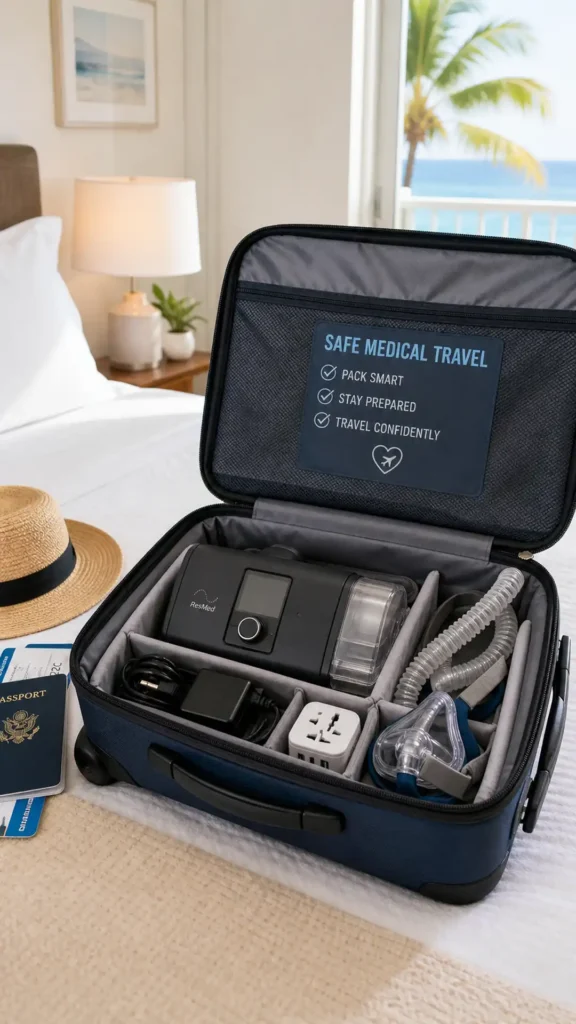
A power supply that works at home may fail abroad. Three rules cover most international travel.
Rule 1: Check the adapter’s input range
The fine print under “Input” on the brick. Modern medical adapters list “Input 100-240V AC” on the label. That handles any country’s wall voltage automatically.
You only need a plug shape adapter. A few dollars at any travel store.
Rule 2: Step-down converters
Got an adapter showing “Input 110-120V only”? You need a step-down converter for 220V countries. That covers most of Europe, Asia, Africa, and Australia.
Buy a converter rated for at least 2x your device’s wattage. A 100W device needs a 200W+ converter.
Rule 3: Airline rules for batteries
FAA caps medical device lithium batteries at 160Wh per battery. Most CPAP and POC OEM batteries fall under that limit. Portable power stations over 100Wh cannot fly with you.
Source: FAA Pack Safe rules.
Your POC qualifies as protected gear under the Air Carrier Access Act. Notify your airline 48 hours before departure.
Safety Standards: IEC 60601, UL, and FDA
The labels matter. They tell you whether a power supply has been independently tested.
IEC 60601-1
The global gold standard for medical electrical equipment safety. Covers patient leakage current, dielectric withstand, ground integrity, and more.
Look for “IEC 60601-1 compliant” on the adapter label or manual. Also accepted: “IEC 60601 listed.”
UL 60601-1
The U.S. version of the IEC standard. UL (Underwriters Laboratories) tests for the same hazards. UL-listed medical adapters carry the UL mark plus the 60601 number.
ETL Listed
ETL is another U.S.-based testing lab. Equivalent in rigor to UL for medical equipment.
FDA classification
Medical devices in the U.S. fall into Class I, II, or III. Most home equipment is Class II. Their power supplies must meet specific safety standards. Cross-check that any replacement adapter carries a medical rating. Not just general electronics use.
More on FDA classifications at the FDA Medical Device Classification page.
Outage Preparedness for Medical Power
Match your backup to your outage profile. Use this rough guide.
Short outages (under 4 hours)
A UPS or 300-500Wh power station handles most U.S. blackouts in suburban areas.
Medium outages (4 to 24 hours)
A 1,000Wh+ LiFePO4 power station with pure sine wave inverter. Add solar panels for daylight topping.
Long outages (24 hours to multiple days)
Combo setup. A 2,000Wh+ solar generator for indoor overnight use. A gas inverter generator for outdoor daytime topping. Multi-day fuel storage.
For the full outage prep walkthrough, see our Medical Power Outage Guide.
Test your backup before you need it
A backup you never tested is a backup you cannot trust. Run a dry test every 90 days. The CPAP routine lives in our Test Your CPAP Backup Battery guide.
HSA, FSA, and Medicare Coverage
Power supplies and replacement adapters often qualify for tax-advantaged reimbursement. The details vary.
OEM replacement adapters
Usually HSA and FSA eligible without extra paperwork. The IRS lists medical device parts as eligible expenses under Publication 502.
Battery backup systems
May qualify with a Letter of Medical Necessity (LMN) from your doctor. Generic camping batteries usually do not. Medical-purpose backups labeled for that use often do.
For full reimbursement guidance, see our HSA/FSA Eligible Portable Power Stations guide.
Medicare Part B
Covers rental of qualifying medical devices and their OEM components. Does not typically cover separate backup batteries, generators, or upgraded power solutions.
Documentation to save
- Original device prescription
- Letter of Medical Necessity (if applicable)
- Replacement adapter receipt with part number
- Power station model and watt-hour rating
File these together. Tax time and insurance audits get easier.
Common Mistakes I See Every Month
Eight years of reader emails. The same patterns keep landing in my inbox.
Mistake 1: Generic adapter shopping
A “universal” 12V hardware-store adapter is not the same as the OEM. Voltage stability matters for medical circuits.
Mistake 2: Skipping the multimeter check
A $15 tool saves $1,200 in fried devices. Check every replacement adapter before it touches your equipment.
Mistake 3: Mixing brand DC cords
ResMed cords do not work on Philips devices. The connectors look similar. The voltages and polarities are not.
Mistake 4: Using modified sine wave inverters
The cheap RV inverter at the auto parts store is not medical-safe. Pure sine wave only.
Mistake 5: Ignoring the surge rating
A 350W concentrator can spike to 700W on startup. Your backup must handle the surge, not just the run watts.
Mistake 6: Forgetting the humidifier load
CPAP humidifier and heated hose can double your machine’s power draw. Test backup runtime with all accessories enabled. Not just the bare machine.
Mistake 7: Not testing the backup quarterly
A lithium battery left at 0% for weeks loses cycles. Top off every 30 days. Practice the switchover every 90 days.
FAQs From Real Readers
The questions that keep landing in my inbox month after month.
Can I use any 12V adapter on my CPAP?
No. Adapters with matching voltage can still differ in polarity or pin size. Use only OEM or manufacturer-authorized adapters.
What does “pure sine wave” mean for medical devices?
It describes the shape of the AC electrical signal. Wall outlets push smooth, curved sine waves. Cheap inverters push stair-step approximations. Medical motors and transformers require the smooth signal to operate safely.
How do I find my device’s voltage and amperage requirements?
Three places. The original adapter label. The device manual. The manufacturer’s website parts section. Take a photo of the original adapter before it gets lost.
Is a $50 generic CPAP adapter as good as the $100 OEM?
Sometimes yes. Often no. Voltage stability and polarity reliability vary widely on generics. The cost savings rarely justify the risk to a $1,000+ device.
Can I use a car inverter to power my CPAP overnight?
Only if your inverter carries a pure sine wave rating. Your car battery also needs enough capacity. A standard car battery may not last overnight CPAP use solo.
What’s the difference between a UPS and a portable power station?
A UPS bridges short outages with instant switchover. Five to 15 minutes typical. A portable power station holds hours of capacity. It may need a manual switch. Modern stations often combine both: UPS-grade switching plus extended runtime.
Do I need an electrician to set up battery backup?
For portable power stations? No. Plug-and-play. For whole-home transfer switches? Yes. Licensed electrician work in most jurisdictions.
Are USB-C power banks safe for medical devices?
For low-voltage devices (TENS units, USB-powered monitors, feeding pump charging), yes. For CPAP, oxygen, and BiPAP machines? Only if the manufacturer offers a USB-C compatible adapter.
What if my device’s adapter overheats?
Unplug immediately. An overheating adapter usually means amperage mismatch, internal failure, or aging components. Replace before the device or your home gets damaged.
Final Word From Lee
Your medical device power supply is not a generic plug. It’s a calibrated part of the system that keeps you alive. Treat it that way.
Buy the OEM adapter. Verify voltage and polarity with a multimeter. Test your backup setup every 90 days. Mark a quarterly check on the calendar.
Eight years of reader emails taught me one truth. The patients who treat power supplies as critical gear avoid 3 a.m. emergencies. Those who treat them as accessories pay for it. Twice. Fried devices and lost sleep.
Three minutes of verification today saves hours of panic tomorrow.