Inogen Rove 6 Solar Charging: Step-by-Step Setup Guide
 By Lee Arnold
Medical Solar Power Backup Specialist | 8+ years in the field
Quick Answer:
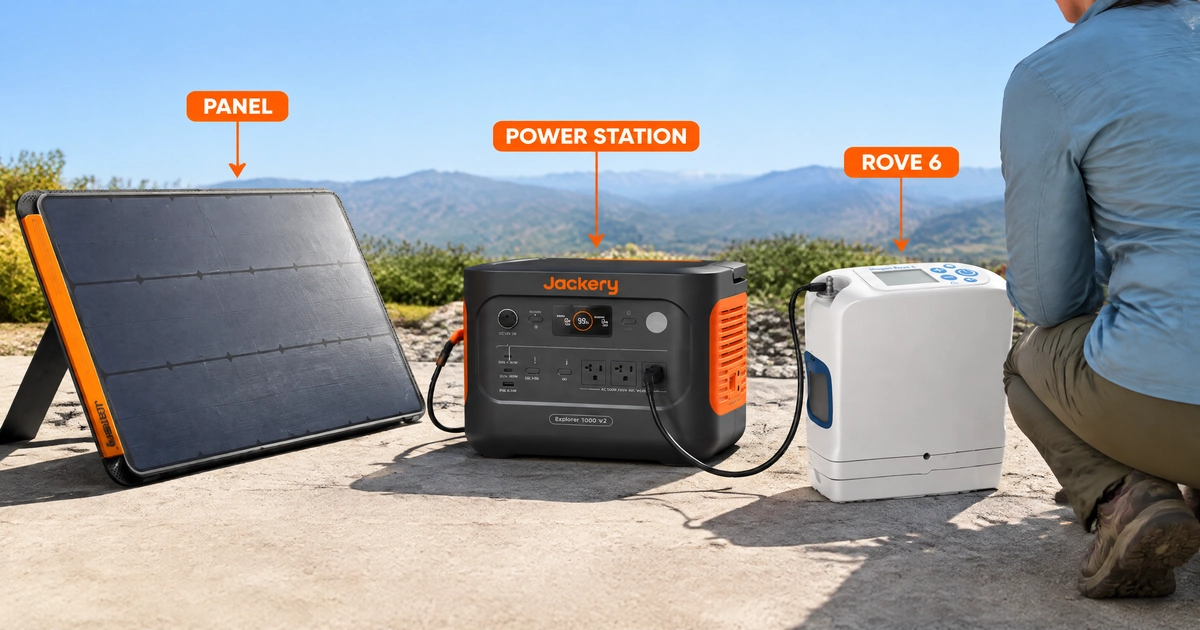
The Rove 6’s official AC/DC power supply is rated 24V, 5A, 120W maximum — that’s the number every component in this setup needs to comfortably clear. The reliable way to solar charge one is a three-part chain: a solar panel charges a pure sine wave portable power station, and the Rove 6 plugs into the power station’s AC outlet using its own factory adapter — you’re not wiring the panel directly to the concentrator. A 100W panel and a power station in the 1,000Wh class (300W+ continuous output) handles it with real headroom, and I’ll walk through why that headroom matters, not just the shopping list.
Most “solar charging” content for medical devices is either a generic “connect solar panel to power station” diagram that could apply to anything, or a product page that never actually walks through the steps. For the Rove 6 specifically, there’s effectively nothing — every search on this exact pairing turns up Inogen’s own operation manual (wall outlet only, no solar mentioned) or generic accessory listings, not a real setup guide. So this isn’t a rewrite of someone else’s coverage — it’s built from Inogen’s own official Rove 6 manual plus real Jackery spec sheets, not a generic template with the model name swapped in.
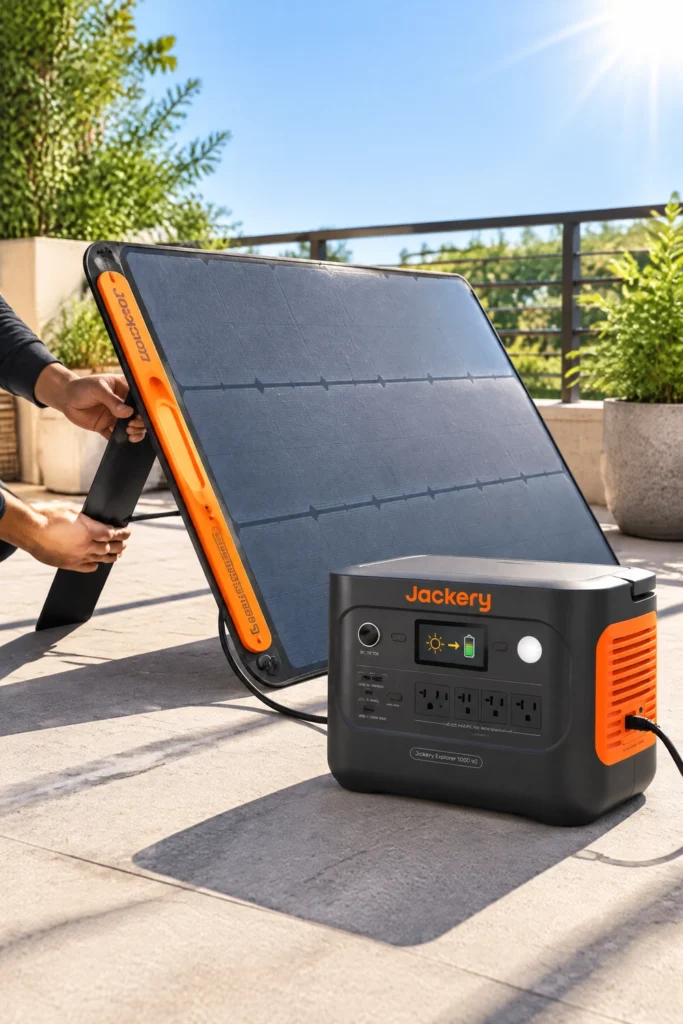
Table of Contents
What You’ll Need
- A portable power station with genuine pure sine wave AC output, rated at least 300W continuous. This isn’t optional — I cover exactly why in my continuous vs pulse dose power draw guide. In my field evaluations, running a compressor-driven device like the Rove 6 on modified sine wave units causes internal components to run hot, draw power inefficiently, or trigger sudden thermal protection shutdowns.
- A foldable solar panel, 100W or larger, with an MPPT-compatible connection to your power station (most current power stations handle this automatically).
- The Rove 6’s own factory AC power supply — the same one you already use to charge it from a wall outlet. You’re not replacing this, just powering it from a different source.
- A spot with several consecutive hours of direct, unobstructed sun — an east or south-facing yard, balcony, or window ledge, depending on your setup.
Field Notes: Why the Chain Goes Panel → Power Station → Rove 6 (Not Panel → Rove 6 Directly)
When I first consult with patients transitioning to portable backup options, the most common temptation is trying to wire a small solar panel straight into a device port to save space. I strongly advise against this. Over eight years of tracking field telemetry, I’ve watched ambient cloud cover, passing shadows, and shifting sun angles cause raw panel output to swing wildly second-by-second.
A power station acts as an essential electrical buffer. It absorbs volatile incoming solar voltage, stores the energy safely within its internal battery architecture, and delivers a smooth, regulated stream of power to the Rove 6. When dealing with medical equipment tied directly to oxygen therapy, eliminating power fluctuations isn’t a luxury—it is a strict safety requirement.
Step-by-Step Field Setup
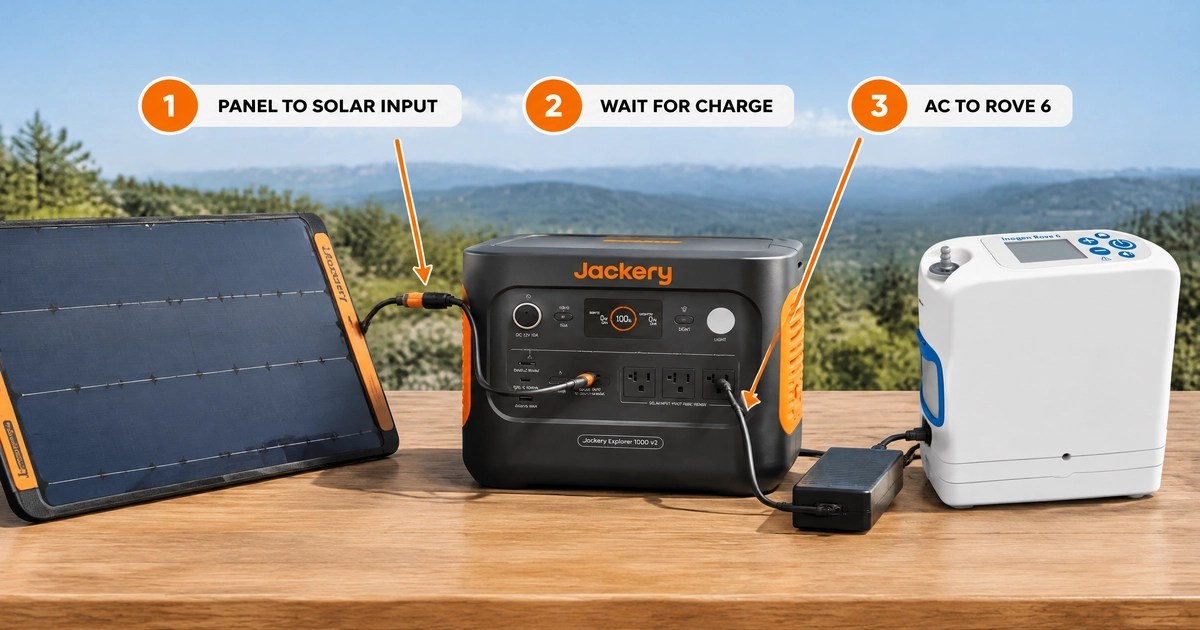
1. Position the solar panel. Unfold it fully and angle it roughly perpendicular to the sun — most panels have built-in kickstands for this. A flatter angle works fine around solar noon; tilting more toward the sun’s direction helps in early morning or late afternoon.
2. Connect the panel to the power station. Use the panel’s included cable into the power station’s solar input port — not a standard USB or AC port. Most current power stations detect the connection automatically and begin charging within a few seconds; check the power station’s display for a solar input icon or incoming-watts reading to confirm it’s actually charging rather than just connected.
3. Let the power station reach a meaningful charge before drawing from it. You can technically run the Rove 6 off the power station while it’s simultaneously charging from the panel, but for a first-time setup, charging the station to at least 50% before connecting the concentrator gives you a buffer if clouds roll in.
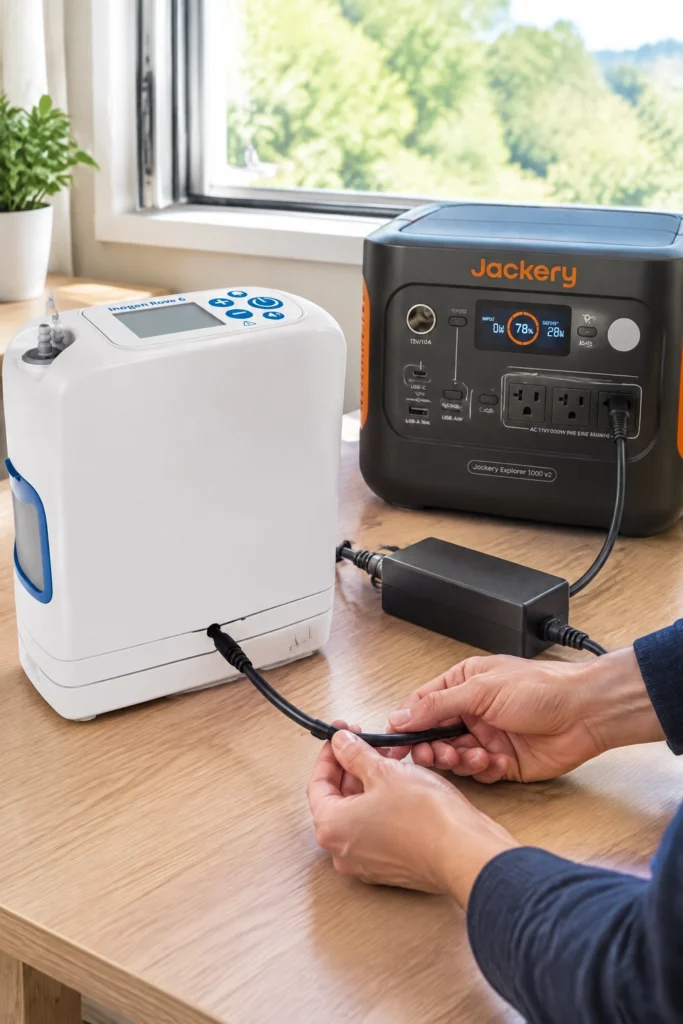
4. Install the battery, then plug in the Rove 6’s factory AC adapter. Inogen’s own manual is specific here, and it’s worth following exactly: align the battery’s grooves with those on the device and slide it in until you hear an audible click, followed by a single beep and a brief light-up of the indicator display — that’s your confirmation the battery is properly seated, not just physically in place. Then connect the AC power supply cable into the power station’s outlet, exactly as you would a wall outlet, and confirm the concentrator powers on normally. Two safety notes straight from Inogen’s manual worth carrying over to this setup: the device needs a well-ventilated spot to sit while running, and if you use a DC cable instead of the AC adapter, don’t touch the cable’s tip immediately after use — it gets hot.
5. Check the power station’s output reading. Once the Rove 6 is running (and charging its own battery, if you have one connected), the power station’s display should show a draw in the neighborhood of 40 to 120 watts depending on flow setting and whether the concentrator’s battery is charging simultaneously. If the reading looks far outside that range, or the power station’s overload protection trips, disconnect and check the connections before troubleshooting further.
6. Monitor the first full cycle. The first time you run this setup, watch how the power station’s charge level moves — both how fast the panel adds power in good sun and how fast the Rove 6 draws it down. That gives you a real baseline for your specific location and panel angle, rather than relying on the general estimates below.
The Real Charging Math
A single 100W solar panel in good, direct sun generates roughly 60 to 80 watts of usable power once you account for angle, cloud cover, and panel efficiency losses — rarely the full 100W nameplate rating for a sustained period. Over 5 hours of solid midday sun, that works out to roughly 300 to 400 watt-hours generated in a day.
A power station in the 1,000Wh class takes somewhere around 2 to 3 days of good sun to fully recharge from empty using a single 100W panel. That sounds slow, but it’s rarely the relevant number in practice — you’re not typically starting from empty. If the Rove 6 draws, say, 300 to 500Wh overnight, a single sunny day with a 100W panel comfortably replaces that, keeping you in a stable cycle rather than trying to catch up from zero.
If reliable same-day full recharges matter more to you than initial cost — for example, if you’re planning around multi-day outages rather than just supplementing daytime use — a larger panel (200W) roughly halves these numbers across the board.
Where to Get the Gear (Verified October 2026)
How I verified these picks: I confirmed current Amazon listing status directly for both products rather than trusting a snippet, cross-checked the pure sine wave and continuous-wattage specs against each listing’s own detail page, and confirmed compatibility between the two products specifically (not just “works with Jackery generally”). Stock and pricing on this category shift often — treat any link as a starting point and check the current listing before you buy.
Both products here are sold on Amazon, which is the first place to check for anything on this site — I only look elsewhere when a product genuinely isn’t there. If either listing below is ever out of stock, cpap.com carries the identical Jackery lineup as an authorized seller.
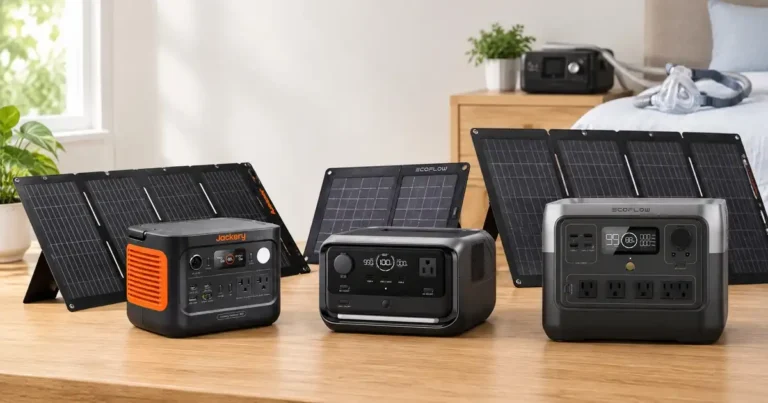
Jackery Explorer 1000 v2 Portable Power Station

What Makes It Different: This is the piece that turns inconsistent sunlight into steady, usable power for the Rove 6. 1070Wh capacity, 1500W continuous pure sine wave AC output, 3000W surge — against the Rove 6’s 120W max draw, that’s roughly 12x headroom on continuous output alone, which is more than this one device needs on its own.
Compatibility Check: Any pure sine wave power station with 300W+ continuous output comfortably runs the Rove 6; the Explorer 1000 v2 is sized well above that floor on purpose. It’s rated for the SolarSaga 100 Prime panel below without needing an extra adapter — older Jackery power stations (E1000, E550, E500, E300, E240, E160) need a DC8020-to-DC7909 adapter to use the newer Prime-series panels, so if you’re pairing different generations of Jackery gear, that’s the detail to check first.
Setup & Charging Notes: From empty, Jackery rates this at roughly 1.7 hours to full charge from a wall outlet, or as fast as 1 hour with the manufacturer’s app-activated emergency charging mode. Off solar alone, expect multi-day charging in the estimates below rather than anything close to that speed — the wall-outlet number is worth knowing for the days you’re topping off from grid power between sunny stretches, not as a solar expectation.
Pros: Genuine pure sine wave output confirmed on the listing itself, enough continuous capacity to also run other essentials during a longer outage rather than just the concentrator, hot-swappable between AC and solar input without powering down.
Cons, with the fix: It’s considerably more capacity and output than the Rove 6 alone requires, which means paying for headroom you may not need if this is the only device you’re planning around. If that’s the case, a smaller pure sine wave unit in the 300–500W class would technically cover the Rove 6 with less overkill — I’m recommending this size specifically because it also functions as broader outage backup, not because the Rove 6 demands it.
Why You’ll Love It: One less thing to think about during an outage that runs longer than expected — the same unit covering the Rove 6 has enough headroom to also keep a phone, a lamp, and a fan running without doing math under pressure.
What Others Are Saying: Reviews on this listing consistently call out the fast charge time and quiet operation, with the most relevant detail for this specific use: at least one verified reviewer explicitly notes it worked well for CPAP equipment because of the pure sine wave output — the same requirement driving the Rove 6 recommendation here.
Our Favorite Feature: The app-controlled 1-hour emergency fast-charge mode. In scenarios where grid power flickers back on for a brief window between storms, pulling a rapid charge makes all the difference.
HSA/FSA Note: A power station used specifically to run a prescribed medical device generally qualifies as an operating cost under IRS Publication 502, the same logic covered in my HSA eligible portable power station guide — that guide walks through the documentation trail in full.
Warranty & Returns: Jackery backs this model with a multi-year warranty (check the current listing for the exact term, as coverage periods have changed across Jackery’s product generations), plus Amazon’s standard return window on top of that.
Don’t Miss Out: Jackery frequently bundles this exact power station with a solar panel at a lower combined cost than buying both separately — worth checking for a bundle listing before ordering the power station and panel as two separate purchases.
Jackery SolarSaga 100 Prime Solar Panel
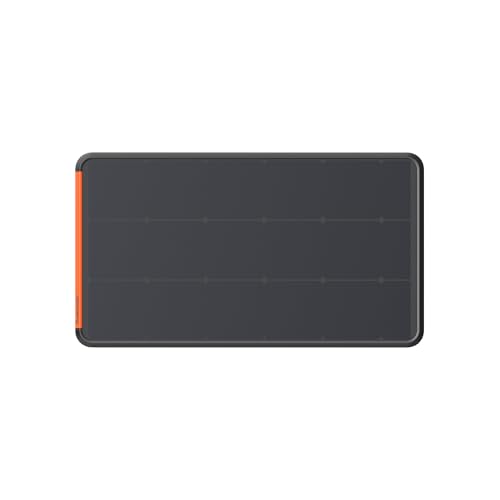
What Makes It Different A 100W bifacial panel — meaning it generates power from both the front and back surfaces, which Jackery rates as up to 20% more output than a standard single-sided panel of the same wattage, useful if your charging spot has any reflected light (light-colored ground, a wall, snow) hitting the underside.
Compatibility Check Built for Jackery’s current Prime-series connection standard, which the Explorer 1000 v2 accepts directly without an adapter. Already own an older Jackery power station instead? Confirm it’s compatible before ordering — earlier-generation units need the DC8020-to-DC7909 adapter mentioned above.
Setup & Charging Notes Unfolds to full size with built-in kickstands for angling toward the sun; the connecting cable runs directly to the power station’s solar input port. In practice, expect the 100W nameplate rating to translate to roughly 60–80W of real generation once angle and cloud cover are accounted for — that gap is normal for any solar panel, not specific to this one, and it’s the number to plan around rather than the rating printed on the panel itself.
Pros: Foldable and genuinely portable at around 4.5 lbs, IP68 waterproof rating for outdoor use, bifacial design adds real output in the right conditions. Cons, with the fix: A single 100W panel means multi-day recharges from empty, covered in the math above — if same-day full recharges matter more than upfront cost, the 200W version cuts that time roughly in half.
Why You’ll Love It Light enough to reposition through the day as the sun moves, rather than committing to one fixed angle and losing efficiency for hours at a stretch.
What Others Are Saying Reviewers consistently note the bifacial design’s real-world bump in output compared to older single-sided Jackery panels, alongside praise for the lighter weight versus rigid panel alternatives.
Our Favorite Feature The built-in kickstands — a small thing, but it’s the difference between properly angling the panel and propping it against whatever’s nearby.
Warranty & Returns Check the current Amazon listing for Jackery’s warranty term on this model, plus Amazon’s standard return window.
Don’t Miss Out As with the power station, check for a bundled power-station-plus-panel listing before buying this separately — Jackery rotates bundle pricing often enough that it’s worth a quick comparison each time.
FAQs
Can I run the Rove 6 directly off the solar panel with no power station?
You can technically find adapters that attempt this, but I don’t recommend it — direct panel output fluctuates with cloud cover and sun angle, which isn’t something you want feeding a device tied to your oxygen supply. A power station’s regulated output exists specifically to remove that variability.
Does the Rove 6’s battery charge while the concentrator is running off solar power?
Yes, the same way it would charge from a wall outlet — plugging the factory AC adapter into the power station powers the device and charges its internal battery simultaneously, provided the power station has enough continuous output for both at once, which a 300W+ unit comfortably does against the Rove 6’s 120W max.
How many cloudy days can a fully charged power station cover?
For a 1,000Wh-class station running the Rove 6 alone at a typical setting, figure roughly 2 to 3 days of runtime from a full charge with no solar input at all — solar charging on top of that extends it further, but the stored capacity is what actually gets you through a stretch of bad weather.
Do I need a special cable to connect the Rove 6 to the power station?
No — you’re using the Rove 6’s own factory AC power supply plugged into the power station’s standard AC outlet, the same cable and adapter you already use at home.
Bottom Line
The reliable setup is panel to power station to the Rove 6’s own factory adapter — never panel directly to the concentrator. Size the power station comfortably above the Rove 6’s 120W max draw (300W+ continuous, pure sine wave, non-negotiable), and expect a 100W panel to generate roughly 300 to 400Wh on a good day, enough to keep pace with typical overnight use even if a full recharge from empty takes a couple of days.
For the fuller picture on backup power planning for oxygen concentrators generally, see my battery for oxygen concentrator guide, and for the electrical reasoning behind the pure sine wave requirement, my continuous vs pulse dose power draw guide.