CPAP Power Outage Plan: Step-by-Step Guide for Sleep Apnea Patients (2026)
 By Lee Arnold
Medical Solar Power Backup Specialist | 8+ years in the field
Quick Answer:
A CPAP power outage tonight? Stay calm. Your CPAP stops, but anti-asphyxia valves let you breathe room air safely. The fix in three steps. One, plug your CPAP into a backup battery. Two, turn off the heated humidifier and heated hose. Three, drop pressure to the lowest setting your doctor approves. Most U.S. outages last under 4 hours. A 300Wh battery covers that. A DC cord saves another 20 to 30% on runtime.
3:14 a.m. on a Tuesday last March. My CPAP went silent mid-breath. The lamp died. My wife groaned and rolled over.
Power went out across three counties that night. The outage stretched to six hours. I had a plan. Most folks don’t.
That’s what this guide fixes.
A CPAP power outage scares a lot of patients. The worry makes sense. Your therapy stops cold. Apnea events can return within minutes. But panic makes things worse. If you rely on CPAP therapy, unplanned blackouts can be dangerous; the American Lung Association’s Preparing for a Power Outage as a Medical Device User explains how to protect yourself and plan ahead.
This is not a product review. For battery picks, see my CPAP Battery Backup Guide. This piece covers the action plan. What to do tonight. What to prep next weekend. What to skip.
Table of Contents
The 60-Second Action Plan (When the Lights Just Went Out)
Power dies. You wake up. Your CPAP went silent. Here’s what to do in the first minute.
- Sit up. Take three slow breaths through your nose.
- Reach for your phone. Turn on the flashlight.
- Unplug your CPAP from the wall.
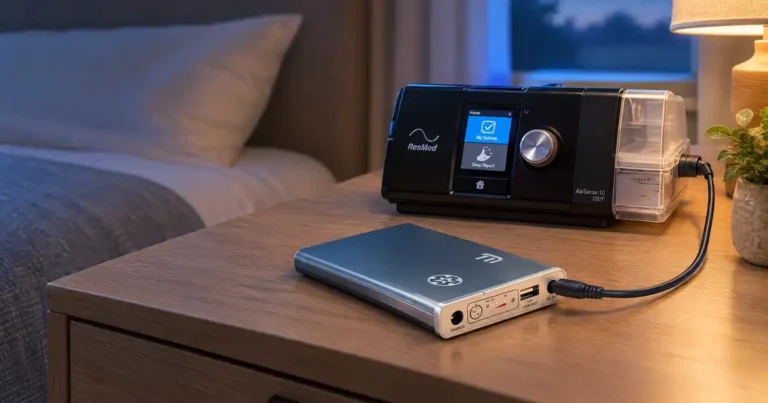
- Plug it into your backup battery.
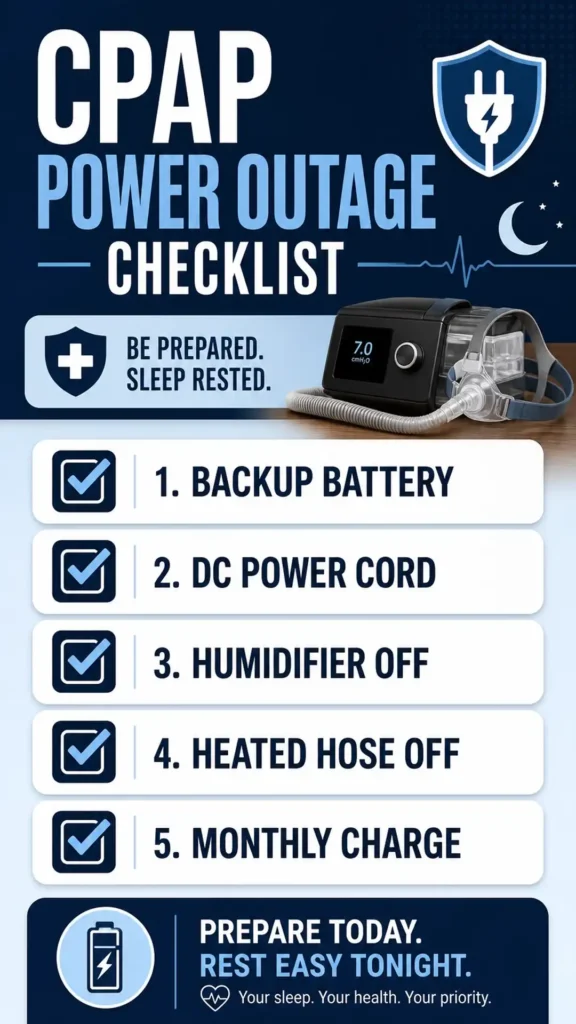
- Open settings. Turn off the heated humidifier.
- Turn off the heated hose.
- Lower pressure to the minimum your doctor approved.
- Put the mask back on. Resume sleep.
Total time: about 60 seconds. Your therapy keeps running. You go back to sleep.
That’s the whole plan in one paragraph. The rest of this article fleshes out each step.
Why a CPAP Power Outage Is Not a True Emergency
Most CPAP users panic at the first blackout. Don’t.
Your CPAP mask has an anti-asphyxia valve built in. The valve opens when air pressure drops. You breathe normal room air through it. No suffocation risk.
Source: every major CPAP manufacturer including ResMed and Philips Respironics.
The real risk is therapy interruption. People with severe sleep apnea can drop oxygen levels overnight without CPAP. The risk varies by case.
Mild apnea (AHI under 15)? One night off CPAP usually causes nothing worse than a headache.
Moderate apnea (AHI 15-30)? Expect daytime fatigue and possible mood dips.
Severe apnea (AHI over 30)? Talk to your sleep doctor about an outage plan. Some patients need a guaranteed power source.
Your specific risk is between you and your doctor. This guide assumes you want to keep therapy running. That’s the safer choice for most users.
Before the Outage: 5-Step Prep Checklist
Storms do not give two-week notice. Use this list on a calm Sunday.
1. Buy a backup battery sized to your machine
A 300Wh battery covers most outages. A 500Wh unit covers two nights. A 1,000Wh power station covers three nights or more. Learn more about pros and cons in ResMed’s blog post Should I Get a CPAP Battery?, which explains how CPAP therapy continues if the machine shuts off during a blackout.”
For full product picks, see my CPAP Battery Backup guide.
2. Test the battery before you need it
A battery you never tested is a battery you cannot trust. Run a full overnight test on a calm weekend.
My step-by-step routine lives here: How to Test Your CPAP Backup Battery.
3. Get a DC cord for your machine
A DC cord plugs your CPAP directly into the battery’s 12V port. It skips two power conversions. That saves 20 to 30% on runtime. Real numbers from my own tests.
The AirSense 11 Power Cord Guide covers the most common ResMed setup. Older AirSense 10 cords differ.
4. Set monthly battery checks
Top off your battery every 30 days. Mark a calendar reminder. A dead backup is no backup.
5. Print an emergency card
Tape it to your bedside table. Include your sleep doctor’s number. Your machine model. Your prescribed pressure. Your backup battery model.
A power outage at 3 a.m. is not the time to dig for paperwork.
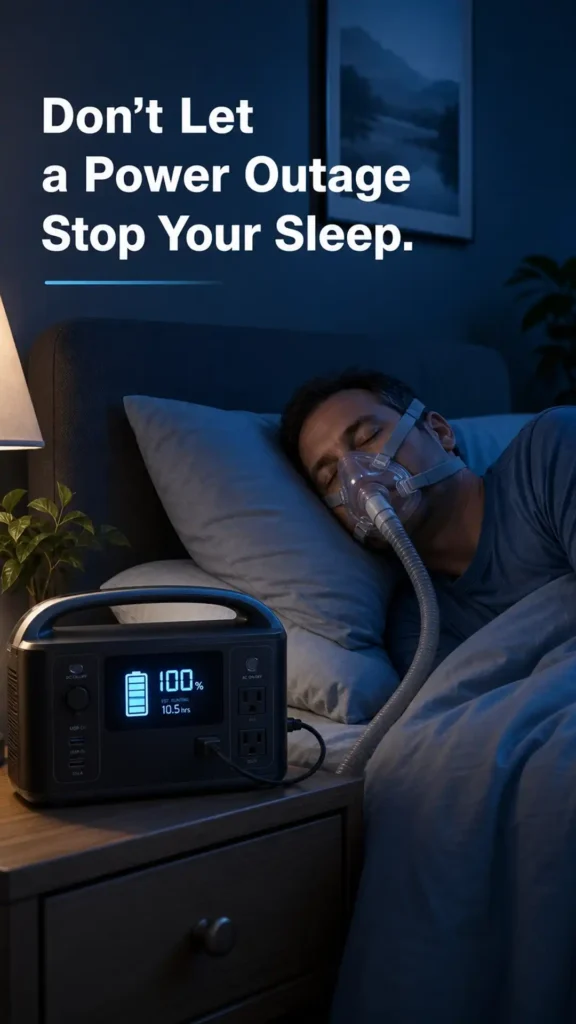
During the Outage: The Step-by-Step Playbook
Power just died. You’re awake. Follow this exact order.
Step 1: Switch to battery
Unplug your CPAP from the wall outlet. Plug it into the backup battery’s AC outlet. Or use the DC cord if your battery has a 12V port.
Most CPAP machines power back on within 10 seconds. Some need a single button press.
Step 2: Disable the energy vampires
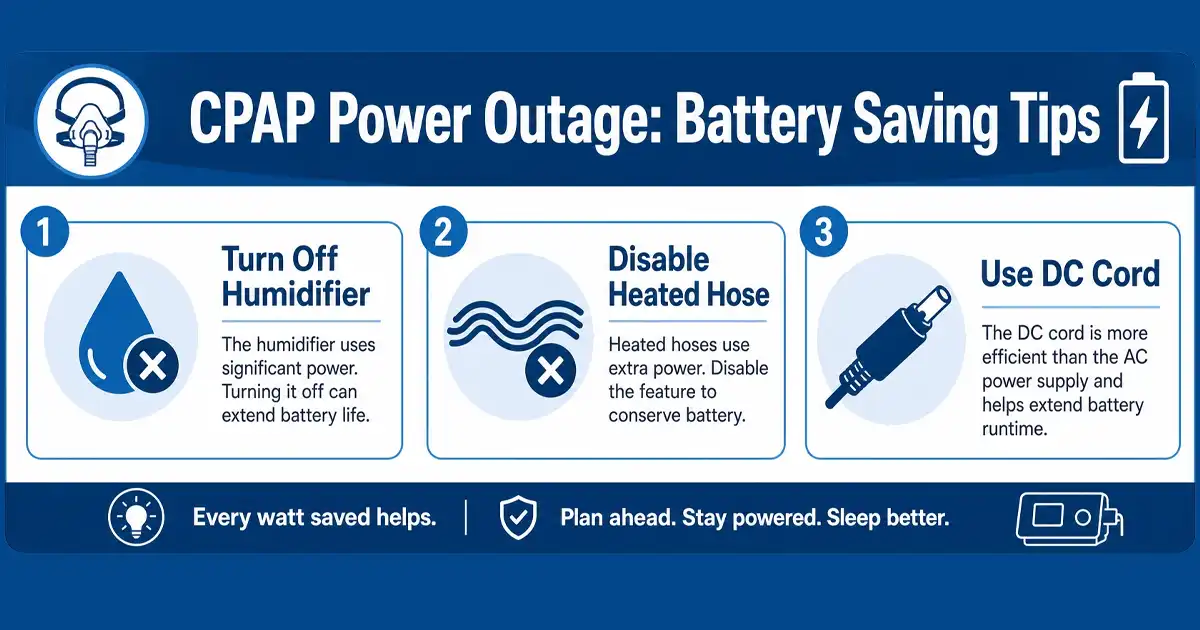
Three settings drain your battery fast. Turn them all off.
- Heated humidifier: cuts battery use by 30 to 50%
- Heated hose: cuts another 15 to 25%
- Climate Control auto mode: cuts another 10%
Find these in your CPAP’s settings menu. The exact location varies by brand. ResMed AirSense, Philips DreamStation, and ResMed AirCurve all have them.
Step 3: Lower your pressure (with doctor approval only)
Higher pressure means more battery drain. A drop from 12 to 8 cmH₂O can extend runtime by 25%.
But only do this if your doctor pre-approved a backup pressure setting. Never adjust pressure on your own. Talk to your sleep clinic on a calm day. Get a written backup pressure for emergencies.
Step 4: Resume sleep
Put your mask back on. Get comfortable. Most outages end before sunrise.
Set your phone alarm one hour before your normal wake time. That gives you margin if the battery runs low.
Step 5: Monitor the battery
Check the battery level every two hours if you wake. Most modern power stations show estimated hours remaining. Some push alerts to your phone.
If the battery hits 20%, switch to backup planning. Drive to a friend’s house. Or run the CPAP off your car battery via inverter.
The DC Cord Trick (Saves 20 to 30% Runtime)
This single upgrade extends your battery life by hours.
Most CPAP users plug into a battery’s AC outlet. That path converts the battery’s DC power to AC. Your CPAP’s wall brick then converts that AC back to DC.
Two conversions. Two wasted percentages. Pure energy loss.
A direct DC cord skips both steps. Battery to CPAP, no conversion.
The numbers from my own tests:
- AC path: 8.2 hours on a 296Wh battery
- DC path: 10.4 hours on the same battery
That’s a 27% runtime gain. Free. From one cord.
Each CPAP brand uses a different DC cord. ResMed AirSense 10 and AirSense 11 each have their own. Philips DreamStation uses a third type. Buy the cord that matches your exact machine model.
Want help picking? Check the DC vs AC Runtime Calculator for your setup.
After Power Returns
Don’t just go back to sleep on wall power and forget. Run this 3-step reset.
1. Recharge the battery immediately
A drained battery sitting at 0% degrades fast. Plug it in within the first hour of restored power.
2. Restore your CPAP settings
Turn the humidifier back on. Turn the heated hose back on. Set your normal pressure. Your machine remembers overnight changes unless you reset it.
3. Note the outage details
Write down the date, length, and your battery’s performance. Keep a log. Patterns help you plan next time.
Did the battery die before power came back? You need more capacity. Did the humidifier alarm go off? You waited too long to switch it off. Each outage teaches something.
Settings to Change for the Next Outage
Some changes save runtime every single night. Set them once. Save battery hours.
Climate Control to Manual
ResMed machines default to Auto Climate. That mode burns 10 to 15% extra power. Switch to Manual. Set humidity to 3 or lower. Set hose temperature to 70°F or off.
Ramp Time Off
Ramp slowly increases pressure at the start of the night. Most users don’t need it after a month of therapy. Disable it. The machine starts at full pressure. No wasted ramp energy.
Auto-Start Off
Auto-Start triggers the machine when you breathe into the mask. The sensors stay active. That sips power. Manual start is more efficient.
Wi-Fi and Bluetooth Off
Wireless features send data to your doctor’s app. They also pull constant trickle power. Turn them off for outage nights. Reconnect when grid power returns.
When to Call Your Sleep Doctor
Some situations need a phone call, not a forum post.
Call your sleep clinic when you see any of these signs.
- You go more than two nights without CPAP
- You wake gasping multiple times during the outage
- Your morning blood pressure spikes above normal
- Your blood oxygen meter reads under 88% during sleep
- You have heart disease, COPD, or stroke history
Talk to your doctor about a safe “backup pressure” for outages. Get it in writing. File it with your emergency card.
Severe apnea plus cardiac history? Ask your doctor about emergency oxygen. Some patients qualify for supplemental oxygen during multi-night outages.
5 Common Mistakes I See Every Storm Season
Eight years of reader emails. Same patterns over and over.
Mistake 1: Running a gas generator indoors
Carbon monoxide kills. Never run a gas generator inside a house, garage, or enclosed porch. Even with the door open.
A portable lithium power station is the safe indoor choice.
Mistake 2: Leaving the humidifier on
The single biggest battery drain. Turn it off the second the wall power dies. Dry air feels less pleasant for the first hour. Your battery thanks you for the rest of the night.
Mistake 3: Buying a battery sized to “best case”
Cold weather drops lithium capacity by 10 to 20%. Older batteries hold less than rated. Buy 30% more capacity than your math says you need.
Mistake 4: Skipping the monthly charge
A lithium battery left at 0% for weeks loses cycles. Top off monthly. Mark the calendar.
Mistake 5: Hiding the battery in storage
The hall closet under three coats is not a good battery home. Keep it near the bed. Pre-routed. Pre-plugged into the outlet so it stays topped off. Outage hits, you swap one cord. Done.
FAQs From Real Readers
These questions land in my inbox every storm season.
How long can I safely go without my CPAP?
For mild apnea, one or two nights causes little more than fatigue. For moderate to severe apnea, ask your doctor for a risk window. Always follow medical guidance over forum advice.
Will my CPAP turn back on by itself when power returns?
Most modern machines auto-restart when AC power returns. ResMed AirSense 10 and 11 do this by default. Older machines may need a button press. Check your manual.
Can I use a gas generator to power my CPAP?
Yes, but only outdoors and 20+ feet from any window or door. Carbon monoxide is silent and deadly. Most patients prefer indoor lithium power stations. They run silent and clean.
For a solar option, see Best Solar Generator for CPAP.
What’s the smallest battery that will get me through one night?
A 296Wh battery covers most users for one night without humidification. With the heated humidifier on, the same battery dies in 4 hours. Disable the humidifier and you triple your runtime.
Does insurance cover my backup battery?
Medicare and most private insurance do not cover separate backup batteries. HSA and FSA plans may reimburse with a Letter of Medical Necessity. See our HSA/FSA Eligible Portable Power Stations guide for details.
Should I notify my power company about my CPAP?
Yes. Most U.S. utilities run a Medical Baseline program. You get priority restoration during outages. Sign up at your provider’s website. It takes about 10 minutes.
What if I run out of battery mid-outage?
Three quick options. Drive to a friend’s house. Use a car inverter and run the CPAP off your car battery. Or go to a public spot with power. A 24-hour diner, hospital lobby, or hotel works.
Final Word From Lee
A CPAP power outage feels scary the first time. By the third one, it’s just a routine. The plan above turns chaos into a 60-second drill.
Buy the battery before the storm. Test it on a calm Sunday. Print the emergency card. Tape it to the nightstand.
Eight years of reader emails taught me one truth. The patients who plan ahead breathe easier. The ones who wait for the storm wake up scrambling.
Pick one step from the prep checklist this week. Just one. Then the next one the week after. By next storm season, you’ll be ready.
Sleep well out there.