How to Test Your CPAP Backup Battery Before an Emergency
 By Lee Arnold
Medical Solar Power Backup Specialist | 8+ years in the field
Quick Answer
Test your CPAP backup battery performance quarterly. Run a full dry-run. Disconnect grid power. Run your CPAP off battery for one full sleep session. Log the runtime. Compare results each quarter. Any 20%+ runtime drop signals degradation. Replace before the next storm season.
A reader called me two weeks after a Florida hurricane. Her AirSense 11 battery had been in the closet for 18 months.
The outage hit at 11 p.m. She plugged in the battery. The machine ran for 2 hours. Then died.
She had tested it when she bought it. Once. In the showroom.
That story is more common than most CPAP patients realize. Lithium batteries degrade silently. No warning. No alarm. They just deliver fewer watt-hours than they did six months ago.
The only way to catch that decline is to test. Quarterly. Under real-world conditions.
This guide is the full protocol to test CPAP backup battery performance: every step, every metric to log, every warning sign, and what to do when the numbers go wrong.
For broader backup planning, see my medical device power outage preparedness guide.
Table of Contents
Why Testing Matters More Than You Think
Most CPAP patients treat their backup battery like a fire extinguisher. Buy it. Put it in the closet. Assume it works.
That assumption costs them dearly.
LiFePO4 batteries lose capacity over time. A 1,000Wh battery may cover 14 hours in year one. Only 11 in year three. The label still says 1,000Wh. The actual delivery does not match anymore.
Lithium degradation accelerates under three conditions.
- Stored at 0% or 100% for extended periods
- Stored in high heat (a garage in summer, a car)
- Left untested and uncharged for months at a time
Any of those apply to your battery? It may already be underperforming.
A 2-hour outage runtime is worse than no backup at all. It gives false confidence, then fails at the worst moment.
Test quarterly. Catch the decline early. Replace on your schedule, not the storm’s schedule.
What You Need for the Dry-Run Test
Gather these items before you start.
- Your CPAP or BiPAP machine
- Your backup battery (power station, travel battery, or dedicated CPAP battery)
- Your DC cord (if you use one) — or the standard AC cord
- A notebook or phone app for logging results
- A stopwatch or phone timer
- Your normal CPAP settings (including humidifier and heated hose)
No special tools required. The test uses only gear you already own.
The Quarterly CPAP Battery Dry-Run Protocol
Run this protocol quarterly. Test your CPAP backup battery before the next emergency hits.
Follow these steps in order. Each step matters.
Step 1: Charge the battery to 100%
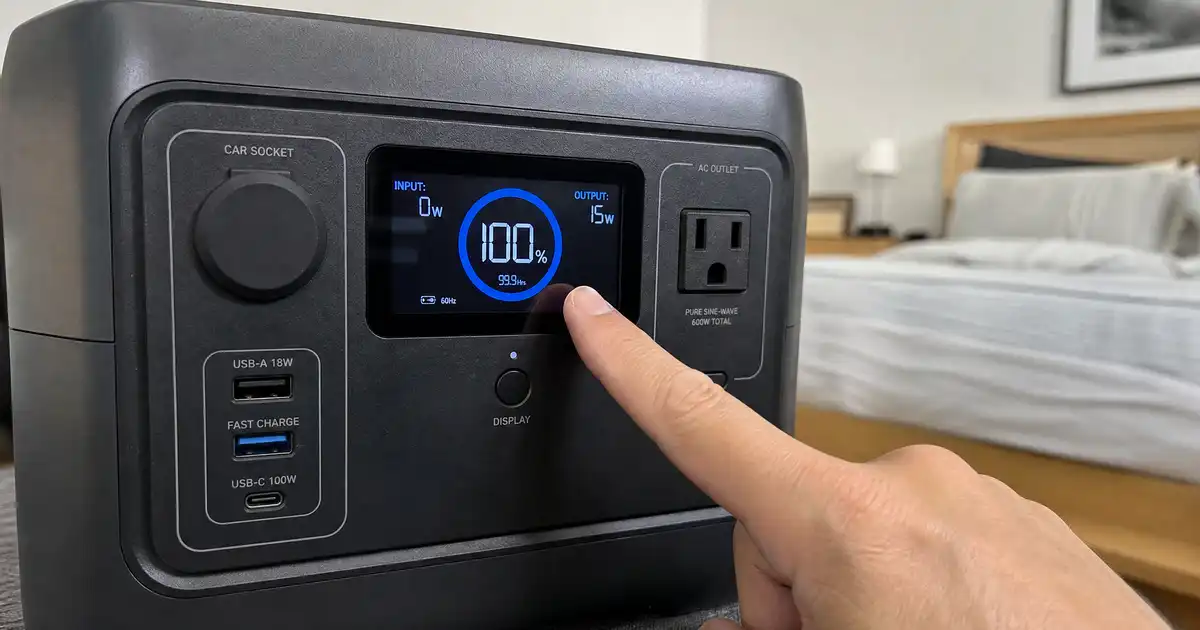
Start from a full charge. This ensures the test measures true capacity, not a partial state.
Allow a full 24 hours after the last charge before starting. Some stations need time to balance cells after full charge.
Step 2: Record your baseline
Note these numbers before you start.
- Date and time of the test
- Battery percentage shown on display (should be 100%)
- Battery model and watt-hour rating
- CPAP model and pressure setting
- Humidifier setting (on or off, and heat level)
- Heated hose setting (on or off)
- Estimated ambient room temperature
This baseline is your comparison point for all future tests.
Step 3: Disconnect wall power
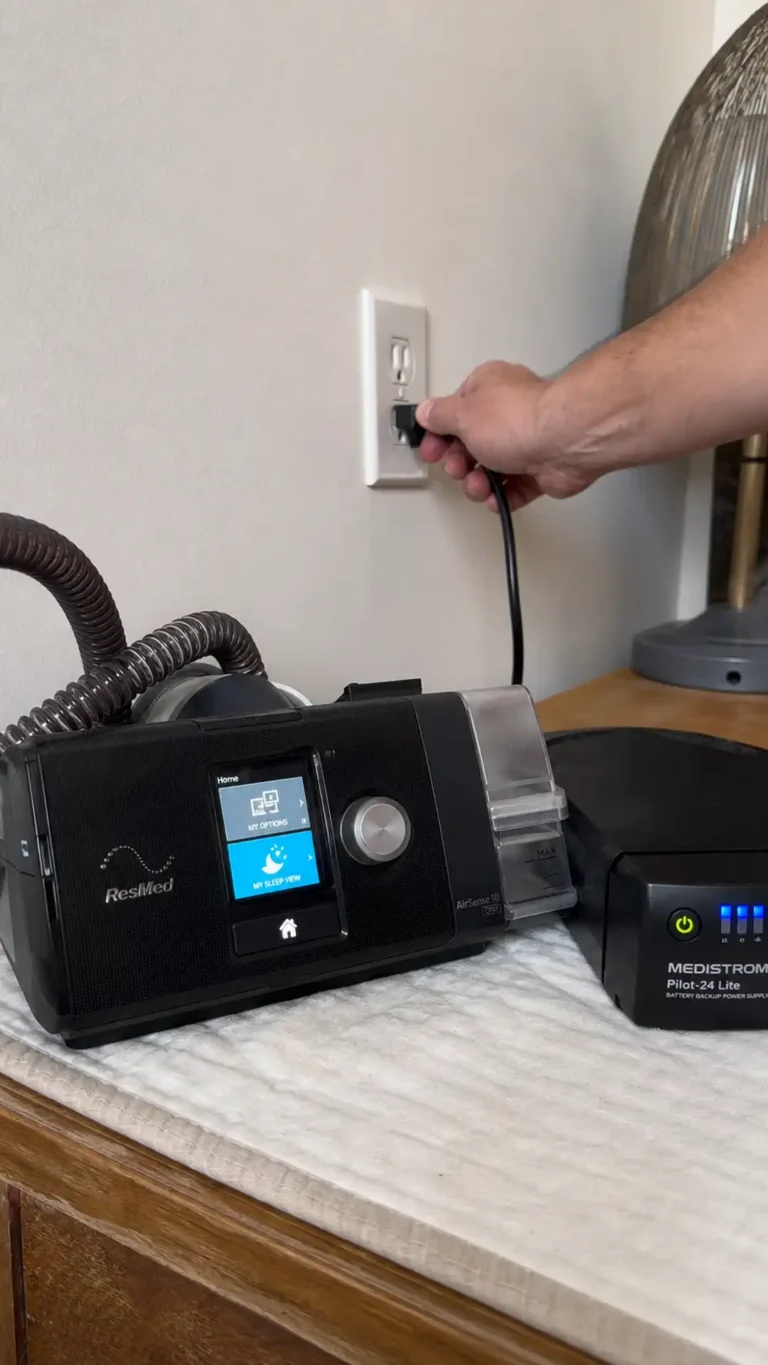
Unplug the backup battery from the wall outlet. This simulates the grid failing.
Do not plug it back in at any point during the test. The whole point is simulating a real outage.
Step 4: Connect your CPAP to the battery
Use your normal connection method. DC cord if you have one. AC path if you don’t.
For ResMed AirSense 11 users: the DC cord gives 20-30% better runtime. Have a DC cord? Use it for the test. No DC cord? Note the AC path and test that way consistently each quarter.
Step 5: Run your CPAP for a full sleep session
Use your normal therapy settings. Humidifier on if you normally run it. Heated hose on if you normally use it.
Don’t turn down settings just to make the battery last longer. Test under real conditions. That’s what an outage looks like.
Step 6: Log the results in the morning
When you wake up, record these numbers immediately.
- Time the test ended (when you woke up or battery died)
- Actual hours of runtime delivered
- Battery percentage remaining on the display
- Any alarms or error codes the CPAP showed
- Any changes in therapy quality you noticed
If the battery died before morning, record the exact time it died.
Step 7: Calculate estimated total runtime
Use this simple formula.
Battery shows 30% remaining after 8 hours? The estimated total runtime is: 8 ÷ 0.70 = 11.4 hours.
Write that estimated total next to your results. Compare it to the rated runtime on the battery’s spec sheet.
Step 8: Recharge the battery immediately
Don’t leave the battery depleted after the test. Recharge to 50-60% within a few hours. Then top off to 80% before storing.
Building Your Test Log
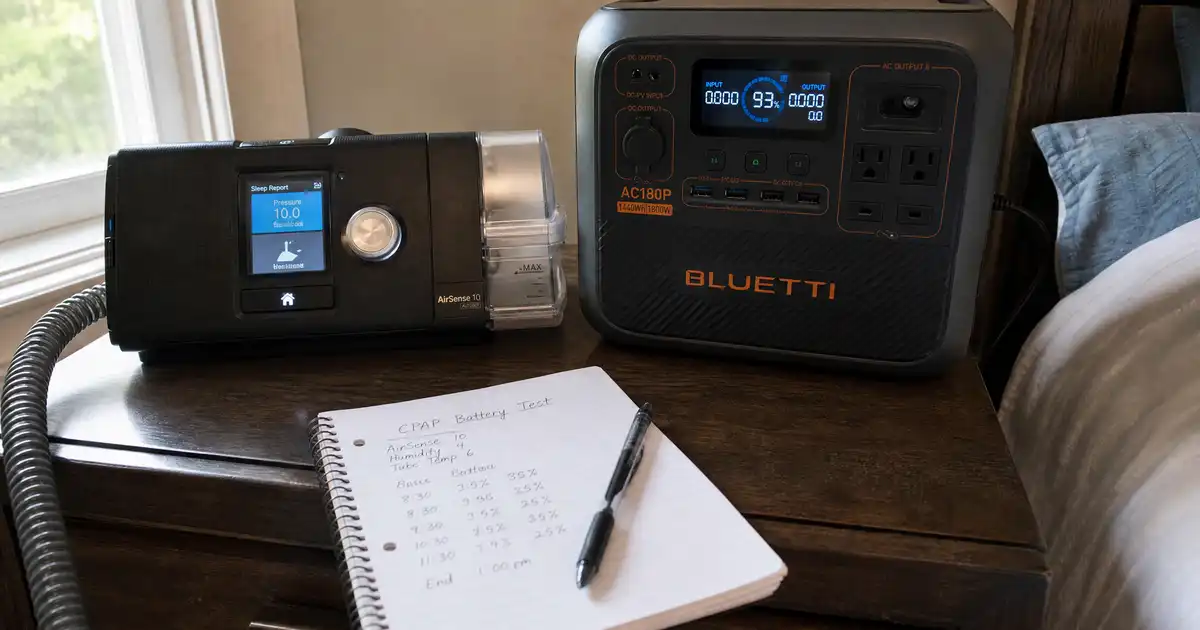
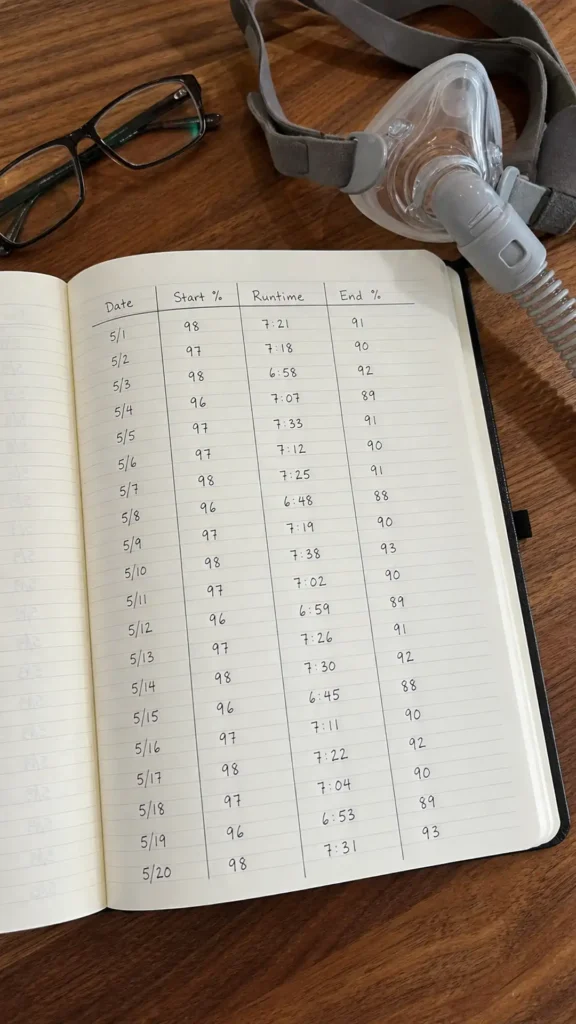
A single data point tells you nothing. Three or four data points show a trend.
Keep a simple log with these columns.
| Date | Battery % Start | Runtime (hrs) | % Remaining | Estimated Total | Notes |
|---|---|---|---|---|---|
| Mar 2026 | 100% | 8.2 hrs | 28% | 11.4 hrs | AC path, humidifier on |
| Jun 2026 | 100% | 7.8 hrs | 24% | 10.3 hrs | AC path, humidifier on |
| Sep 2026 | 100% | 7.1 hrs | 19% | 8.8 hrs | AC path, humidifier on |
That 11.4-to-8.8-hour drop over 6 months signals real degradation. Time to plan a replacement.
A free spreadsheet template or your phone’s Notes app works fine. The goal is consistency, not complexity.
Warning Signs During the Test
These results mean your battery needs attention.
Red flags
- Estimated total runtime dropped 20% or more from your first test
- Battery dies before 6 hours (for a battery rated at 10+ hours)
- Battery won’t charge fully to 100%
- Battery charges but discharges within hours at rest (no CPAP load)
- Unit feels unusually hot during charging or use
- Error codes appear during the test
- Display shows battery percentage dropping faster than normal
Yellow flags (monitor closely)
- Estimated total runtime dropped 10-20% over two consecutive tests
- Battery takes noticeably longer to reach 100% than it used to
- Battery percentage display seems inaccurate (jumps or stutters)
Any red flag means replace soon. Any yellow flag means add a mid-quarter check and watch the trend.
Device-Specific Tips
ResMed AirSense 11
There’s no dedicated Energy Save Mode on the AirSense 11 — but you can get most of the same effect manually. Turn off the humidifier and heated hose before an outage. Draw drops from the 56-73W humidified range down to roughly 30-56W. That alone can meaningfully extend your runtime.
For tests, run your normal settings. Only enable Energy Save Mode during an actual emergency.
For DC cord options, see my airsense 11 power cord guide. Full specs are in ResMed’s official AirSense 11 user guide.
Philips DreamStation 2
The DreamStation 2 draws 22W without humidifier and 67W with humidifier on.
Run the test with humidifier on. That’s your real-world use case.
The DreamStation 2 shows detailed power-draw history in the provider menu. A technician can pull this data to confirm your battery test results.
CPAP machines with heated hose
The heated hose adds 30-50W of draw, depending on the heat level. That’s a significant load.
Test once with the heated hose. Test once without. Log both. You’ll know your range in an outage. In a real outage, cut the heated hose. It buys an extra hour or two.
When to Replace Your CPAP Backup Battery
Replace when any of these conditions are true.
- Estimated total runtime drops 30% from your first baseline test
- Battery won’t hold a charge for more than 24 hours at rest
- Battery unit is 5+ years old and showing 15%+ capacity decline
- You’re entering hurricane season with a borderline-performing battery
- The unit fails the dry-run test completely
Don’t wait for a total failure during an outage. Replace on your timeline. Sales happen in spring (March-April) and fall (September-October) when demand is lower.
For tested CPAP solar generator picks, see my cpap generator guide. For the full CPAP battery roundup, see my cpap battery backup pillar.
Setting Up Quarterly Reminders
Most CPAP patients mean to test. They don’t schedule it. Life intervenes.
Set four calendar reminders right now.
- March 1 — CPAP battery test
- June 1 — CPAP battery test
- September 1 — CPAP battery test (pre-hurricane season)
- December 1 — CPAP battery test
The September test is the most important. Pre-hurricane season readiness.
Add a 20-minute block. The test itself runs overnight. The setup and logging takes 20 minutes total.
Common Mistakes During CPAP Battery Testing
These errors produce unreliable results.
Mistake 1: Testing with a partial charge
A partial-charge start makes the battery appear to die sooner. Always start at 100%. Let the battery balance for 24 hours after charging.
Mistake 2: Changing settings between tests
One test with humidifier on. Next test with humidifier off. The results are not comparable. Keep settings identical across every quarterly test.
Mistake 3: Testing in different temperatures
Battery capacity drops in cold. An 18°C room versus a 5°C room produces different results. Test in the same room each quarter. Same season if possible. Note room temperature in your log.
Mistake 4: Skipping the DC cord test
AC path versus DC cord path delivers 20-30% different runtimes. Test the path you plan to use during a real outage. Plan to use the DC cord during a real outage? Test with the DC cord.
Mistake 5: Not logging immediately
Wait two hours after waking up and memory fades. Log results while they’re fresh. Battery percentage, runtime hours, notes. Right when you wake up.
Mistake 6: Ignoring yellow flags
One borderline test is easy to dismiss. Two consecutive borderline tests mean the decline is real. Don’t wait for a red flag.
FAQs From CPAP Patients
How often should I test my CPAP backup battery?
Quarterly. Four times per year. The September test before hurricane season is the most critical.
My battery is brand new. Do I still need to test?
Yes. New batteries sometimes arrive with cells slightly out of balance. A first dry-run test establishes your baseline. Every future test compares against that baseline.
My battery shows 100% but died in 3 hours. What happened?
Three possible causes. One: battery degraded — the display no longer shows true capacity. Two: the battery’s BMS has a calibration issue. Three: the battery has a defective cell. Drain to 0% completely, charge to 100% slowly, and retest. A second failure means replace.
Can I test using just my phone timer instead of sleeping?
Sort of. You can run your CPAP while awake and time the runtime. The limitation: your normal sleep therapy uses auto-adjusting pressure. Awake testing uses different pressure patterns. The runtime numbers won’t match sleep use exactly. For the best accuracy, do the overnight sleep test.
My battery percentage display jumped from 40% to 0% suddenly. Is this normal?
No. That jump signals a battery management system error or a defective cell. Contact the manufacturer under warranty for units under 2 years old. Plan replacement regardless.
How long should a good CPAP backup battery last per charge?
It depends on your settings. A good 1,000Wh LiFePO4 station should deliver the following runtime.
- 18-24 hours (CPAP, no humidifier, DC path)
- 12-16 hours (CPAP, humidifier on, DC path)
- 10-14 hours (CPAP, humidifier on, AC path)
Numbers below these ranges suggest degradation.
Is there an HSA or FSA way to cover a replacement battery?
Possibly. A Letter of Medical Necessity from your physician may qualify the purchase. See my hsa eligible portable power station guide for the documentation process.
Bottom Line
Your CPAP backup battery is only as good as its last test.
A battery may deliver half its year-one runtime by year two. Quarterly testing catches that decline before a real outage does.
The protocol takes 20 minutes of setup and one overnight sleep. The log takes 2 minutes in the morning. Four times a year. That’s less than 2 hours of annual effort.
The alternative is discovering the problem at 2 a.m. in a storm.
Set the calendar reminders. Run the test. Log the numbers. Replace before the storm season if the trend points down.