Solar Power For CPAP: The Complete 2026 Guide (Runtime, Wattage, Safety & Setup)
 By Lee Arnold
Medical Solar Power Backup Specialist | 8+ years in the field
Quick-Answer Box
Yes, you can run a CPAP on solar power safely, but only if you use a pure sine wave power station rated for at least 300 watts continuous and around 600 watts surge. A typical CPAP at low pressure uses roughly 30–60 watts in base mode, while a heated humidifier and hose can push that to about 90–110 watts, with short peaks higher. A 1,000 Wh LiFePO4 power station will usually run many CPAP machines for 2–3 full nights without solar input if you turn the humidifier off and keep pressures moderate.
For millions of people on CPAP therapy, power is not a convenience—it is part of their treatment. When a storm, heat‑wave blackout, or wildfire shutoff hits in the middle of the night, “CPAP backup power blackout” stops being a hypothetical and becomes tonight’s problem.
In this guide, we’ll walk through exactly how solar power for CPAP works, how many watts your machine really draws, what size power station you need, and how to set everything up safely so it is quiet, reliable, and reviewed by a respiratory therapist before you publish. By the end, you will know how to choose the right solar panel size for CPAP, how to save CPAP battery on solar, and how to turn a generic “power bank” idea into a real CPAP power outage kit.
This guide is informational and is not medical advice. Consult your physician or DME provider before changing any equipment setup.
Why CPAP Users Need a Dedicated Solar Power Plan
If you sleep with CPAP, a power outage is not just an inconvenience—it is a direct interruption to your therapy. The U.S. Energy Information Administration reports that the average American household now experiences more than five hours of power outages per year, roughly double the outage time a decade ago, and those hours often cluster into a few long events. For the roughly eight million Americans on CPAP or similar positive airway pressure therapies, even a single night without treatment can bring back daytime sleepiness, higher accident risk, and, over time, cardiovascular stress.
When the lights go out and the CPAP stops, several things go wrong at once. Apnea events return, which can mean fragmented sleep, oxygen drops, and next‑day “sleep debt” that many people feel as brain fog, irritability, and microsleeps while driving. If the outage happens in cold weather, a powered‑off humidifier can leave you with dry mouth and nasal irritation—even if you try to sleep without the machine—which may discourage you from putting the mask back on once power returns. There is also a technical risk: plugging a CPAP into a cheap modified‑sine inverter or unstable generator can stress the power brick, cause noisy fan hums, or in the worst case damage sensitive electronics and void the warranty.
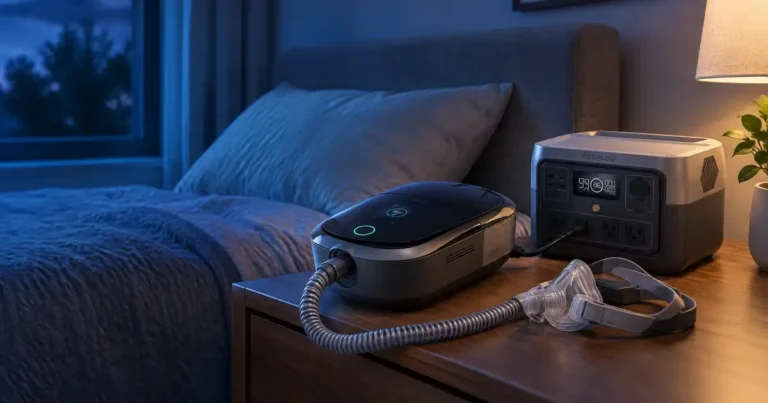
A generic “phone power bank” or bargain car inverter is not a complete CPAP power outage kit. Those products are sized for phones and laptops, not a device that can draw 30–110 watts for eight hours straight, night after night. They rarely advertise pure sine wave output or medical‑device suitability, and they typically cannot be recharged fast enough off a small solar panel to support multi‑day outages. What CPAP users need instead is a dedicated CPAP backup power blackout plan: a pure‑sine, LiFePO4‑based solar generator matched to their wattage, runtime, and safety needs, plus a clear placement and recharge strategy.
Who This Guide Is For
This guide is for the home CPAP user who worries every storm season about sleeping through a grid failure, the RV or van‑life traveler who wants quiet, off‑grid sleep without running a noisy gas generator, and the caregiver trying to protect a loved one who depends on nightly PAP therapy. It also speaks to frequent travelers and digital nomads who mix hotel stays with camping or remote rentals and need a plan that includes travel CPAP solar power options. If you are trying to build a CPAP power outage kit for hurricanes, wildfires, or rolling blackouts, you are exactly who this article was written for.
What a CPAP Solar Plan Must Cover
A real CPAP solar plan covers five pillars: wattage, runtime, waveform, recharge, and safe placement. Wattage means knowing how many watts your CPAP really draws in your typical mode, not just what the label says, so you can size your system. Runtime is about translating wattage into nightly watt‑hours and then picking a battery that can survive the number of nights you care about; this is where “CPAP draining solar battery fast” problems show up if you mis‑estimate. Waveform means committing to pure sine wave for any medical device, which we will unpack in H2 #4. Recharge is your mix of solar vs car charging for CPAP and how quickly your panel can refill the battery between nights. Finally, safe placement includes where to place your solar generator, how far the solar generator distance from medical bed should be, and how to route cables so the setup is quiet, ventilated, and not a trip hazard.
How Many Watts Does a CPAP Really Draw? (By Model)
Most standard CPAP machines draw roughly 30–60 watts in base mode and around 90–110 watts with a heated humidifier and hose running at typical settings, with short peaks higher when the device ramps up or adjusts pressure. That headline answer feeds directly into the featured‑snippet question “How many watts does a CPAP machine use?” and is the starting point for every solar sizing calculation you will do later.
CPAP power consumption falls into three main modes. The first is base pressure, where the blower runs at a steady rate once you are asleep; here, typical CPAP wattage on solar power can be in the 30–50 watt range for many machines. The second mode is ramp or auto‑titration, where an Auto CPAP temporarily increases pressure in response to events; this can cause short‑term wattage spikes above the base level without dramatically changing your total nightly energy use. The third is heated humidifier and heated tubing operation, where a resistive heater in the tank and sometimes in the hose itself adds a large, variable load that can double or triple your total power draw.
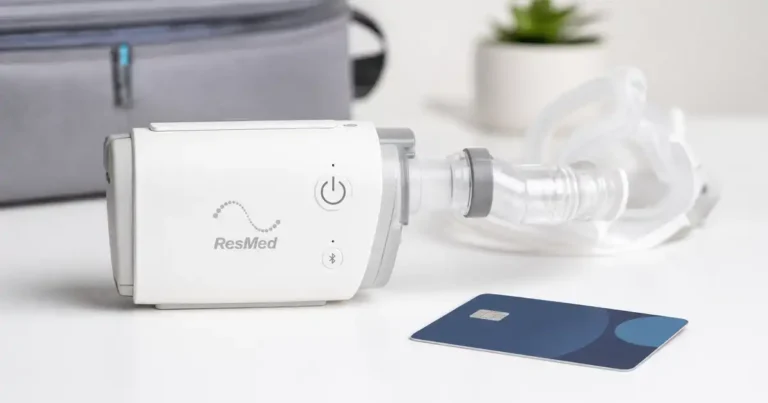
Manufacturers typically list maximum or nameplate wattage on the power brick, but that is not the same as your actual average draw over eight hours. For instance, ResMed’s AirSense series and Philips’ DreamStation line have published specs showing maximum wattage that you might only hit in worst‑case combinations of high pressure, full humidification, and heated hose. In real‑world tests using inline power meters, reviewers often see lower average values than those maxima, especially when humidifiers are off or set to pass‑over mode. That is why many solar CPAP guides recommend measuring your own setup with an inexpensive watt‑meter before finalizing system sizing.
Below is a simplified wattage reference table for you :
| CPAP Model | Base Watts | With Humidifier | Peak / Surge | Daily Wh (8 hr) (est.) |
|---|---|---|---|---|
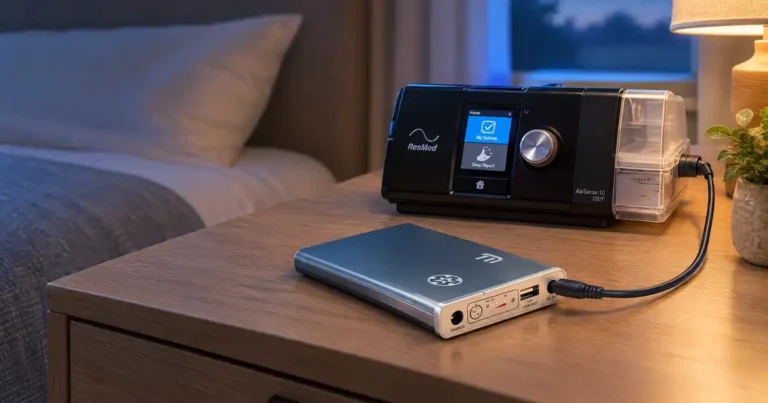
| ResMed AirSense 11 | 30–40 W | 90–110 W | ≈140 W | ≈640–880 Wh (with heat) |
| ResMed AirSense 10 | 30–40 W | 90–105 W | ≈135 W | ≈640–840 Wh |
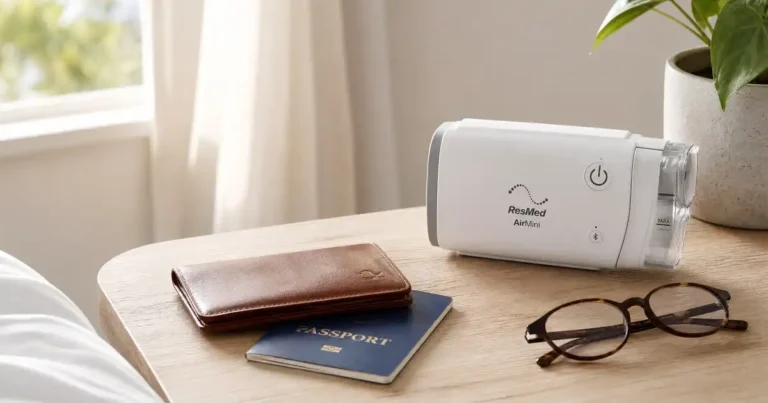
| ResMed AirMini (travel) | 20–25 W | n/a | ≈60 W | ≈160–200 Wh |
| Philips DreamStation 2 | 35–45 W | 100–120 W | ≈150 W | ≈720–960 Wh |
| Fisher & Paykel SleepStyle | 40–50 W | 95–115 W | ≈140 W | ≈760–920 Wh |
| Transcend Micro / Z2 Auto | 15–25 W | n/a | ≈45–60 W | ≈120–200 Wh |
| Typical BiPAP (AirCurve 10) | 45–55 W | 110–130 W | ≈160 W | ≈880–1,040 Wh |
These numbers are representative and will vary by pressure, leak, altitude, and individual unit, but they show why a BiPAP with humidifier can drain a solar generator much faster than a small travel CPAP.
Sizing a Solar Generator for Your CPAP (Step‑by‑Step)
Once you know your CPAP’s wattage, you can size a solar generator using a simple four‑step formula. Think of this section as a calculator in prose: we convert watts to nightly watt‑hours, add buffers for inefficiency, and then match the result to a realistic battery and panel.
The 4‑Step Sizing Formula
Step 1: Estimate nightly energy use.
Multiply your average CPAP watts by your nightly sleep time and by the number of nights you want to cover. For example, if your ResMed AirSense 11 averages 50 watts without humidifier and you sleep eight hours, that is 50 W × 8 h = 400 Wh per night.
Step 2: Add an efficiency and depth‑of‑discharge buffer.
Power stations are not 100% efficient; inverters and internal electronics waste energy, and most manufacturers recommend not draining lithium batteries to zero. A common rule of thumb is to multiply your nightly Wh by 1.25 to account for losses. In our 400 Wh example, 400 × 1.25 = 500 Wh, so you would look for at least a 500 Wh station if you only need one night of coverage.
Step 3: Check continuous and surge watt ratings.
Your CPAP’s running watts must sit well under the generator’s continuous output rating, and its start‑up or ramp surges must stay under the surge rating. For most people, a unit rated for 300–500 watts continuous and 600–1,000 watts surge is more than enough, because even CPAPs with humidifiers rarely exceed 150 watts.
Step 4: Plan your recharge strategy (solar vs car).
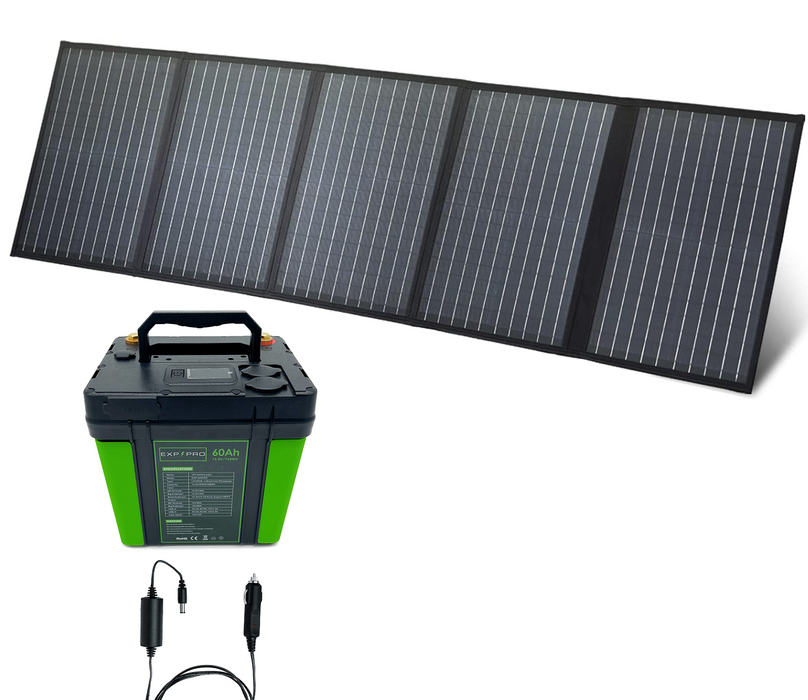
Finally, match your solar panel size to your battery. A 500 Wh station paired with a 100 W panel may be able to refill most of its capacity in one sunny day, assuming 4–6 “good” sun hours and typical losses. If you want a 1,000 Wh station to refill in a single day, step up to around 200 W of portable solar panels for CPAP use, or combine solar with car charging for CPAP when sunlight is unreliable.
Portable Power Station vs UPS — Which Does What?
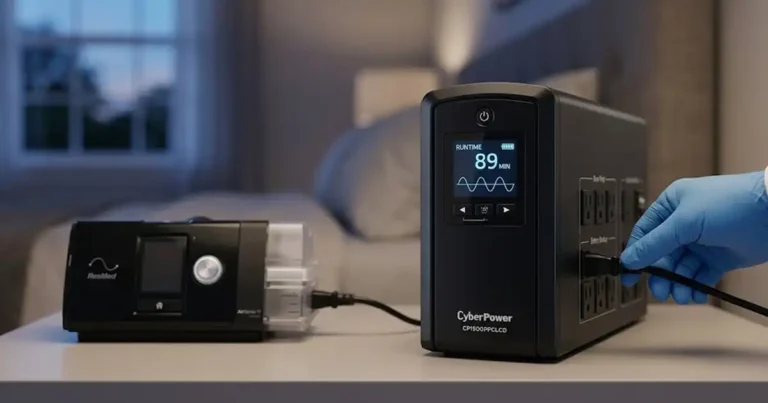
At first glance, an uninterruptible power supply (UPS) and a portable power station seem similar: both have batteries and AC outlets. But for CPAP solar power, they play very different roles. A traditional UPS is designed to provide a few minutes of backup for computers during short blips, not many hours of runtime or daily solar recharging, and many consumer UPS units are noisy, heavy, and not rated for frequent deep‑cycling. A portable power station, by contrast, is built around higher‑capacity lithium batteries (often LiFePO4), quieter cooling, and DC plus solar inputs, making it much better suited for multi‑hour CPAP backup and off‑grid use.
If your main concern is a seamless switchover during very short outages—say, hospital‑style power bumps—a properly specified UPS can make sense in addition to a solar generator, especially when guided by a medical battery safety guide. For longer outages, camping, and multi‑day events, your core investment should go into a quiet solar generator for CPAP and a right‑sized panel array, with the UPS question handled in your separate UPS vs portable power station for CPAP resource.
Pure Sine Wave vs Modified Sine Wave: Why It Matters for Medical Devices
For any medical device—including CPAP and BiPAP—use pure sine wave power, full stop. Modified sine wave inverters chop the AC waveform into square‑ish steps, which is fine for some tools and lights but can stress sensitive power bricks and internal electronics. ResMed, Philips, and other CPAP manufacturers explicitly recommend “clean” sine‑wave power and warn that poor‑quality inverters may damage equipment or void warranties.
In practice, modified sine wave can cause audible hums, warmer‑than‑normal power bricks, and in some cases glitchy behavior in auto‑titrating machines that rely on precise sensors. Pure sine wave inverters, which are standard in quality LiFePO4 “solar generators,” produce a waveform that closely matches grid power so your CPAP brick sees what it was designed for. For CPAP backup power blackout planning, the rule of thumb is simple: if a power station does not clearly say “pure sine wave,” don’t plug your CPAP into it.
Because waveform is such an important part of solar generator safety for CPAP, it deserves its own deeper resource. In your internal silo, this H2 should link prominently to your dedicated article on pure sine wave for CPAP, where you can show oscilloscope captures, quote manufacturer manuals, and compare specific model families. That page can also reassure cautious readers that LiFePO4 power stations with certified inverters are safe to run indoors when used as directed.
How Long Will a Solar Generator Run a CPAP? (Runtime Calculator)
Once you have wattage and battery size, runtime comes down to one simple formula:
The 0.85 factor is a realistic efficiency adjustment for inverter and internal losses in many modern power stations. A smaller inverter or DC‑only setup might do slightly better; an older or heavily loaded unit might do worse.
Worked examples
Three scenarios show how the formula plays out in practice, using a 0.85 efficiency factor to account for inverter losses.
500 Wh battery, 40 W CPAP (no humidifier) — Runtime ≈ (500 × 0.85) ÷ 40 ≈ 10.6 hours. Enough for a comfortable single night with margin to spare.
1,000 Wh battery, 90 W CPAP (humidifier on) — Runtime ≈ (1,000 × 0.85) ÷ 90 ≈ 9.4 hours. About one full night, but with little buffer.
2,000 Wh battery, 60 W CPAP (auto mode, no heat) — Runtime ≈ (2,000 × 0.85) ÷ 60 ≈ 28.3 hours. Roughly three nights at 8–9 hours each.
The matrix below puts every common battery and load combination in one place — hover any cell to see the estimated runtime.
Estimated runtime at 0.85 efficiency — hours (nights at 8 hr/night)
| Battery ↓ / Load → | 40 W no humidifier | 60 W auto, no heat | 90 W humidifier on | 120 W full settings |
|---|---|---|---|---|
| 500 Wh | 10.6 hr (1n) | 7.1 hr (0n) | 4.7 hr (0n) | 3.5 hr (0n) |
| 1,000 Wh | 21.3 hr (2n) | 14.2 hr (1n) | 9.4 hr (1n) | 7.1 hr (0n) |
| 1,500 Wh | 31.9 hr (3n) | 21.3 hr (2n) | 14.2 hr (1n) | 10.6 hr (1n) |
| 2,000 Wh | 42.5 hr (5n) | 28.3 hr (3n) | 18.9 hr (2n) | 14.2 hr (1n) |
Formula: (battery Wh × 0.85) ÷ load W = runtime hours. Actual results vary with pressure settings, altitude, and ambient temperature.
Real‑world runtime will always vary. Cold temperatures reduce lithium capacity, older batteries sag sooner, and inverter idle draw can quietly waste tens of watt‑hours per night if you leave the unit on all day. That’s also where “CPAP draining solar battery fast” complaints usually come from: people underestimate the extra load from a humidifier, heated tubing, and a big inverter idling just to run one device. A quick way to save CPAP battery on solar is to turn off the humidifier during outages, use DC‑direct power if your CPAP supports it, and shut the power station down when you are not actively charging anything.
The 5 Best Solar Generators for CPAP in 2026
The biggest runtime mistake CPAP users make: They plug into the AC outlet and accept the loss. Your CPAP already runs on DC power internally. The wall plug converts AC back to DC — wasting 15 to 20 percent of your battery as heat. A $30 DC converter cable skips both conversions. On a 500 Wh power station running a 40 W CPAP, AC output gives roughly 10.6 hours. Switch to DC and you get approximately 12.5 hours — and with the inverter off, the power station’s cooling fan stays silent too. That one cable changes both runtime and bedroom noise. Order it before the storm hits.
Turning off the heated humidifier is the single biggest runtime gain available. On ResMed AirSense machines, set Climate Control to Manual and Humidity Level to OFF as soon as the power fails. This one change can roughly quadruple your battery life.
Now, with those two facts in mind — here are five picks that hold up under real CPAP scrutiny.
The Quick Numbers You Need
| Model | Capacity | Chemistry | Pure Sine Wave | Fan at CPAP Load | Solar Input | Amazon Price |
|---|---|---|---|---|---|---|
| Jackery Explorer 1000 v2 | 1,070 Wh | LiFePO4 | Yes | Under 30 dB | 400 W | ~$429–$799 |
| Jackery Explorer 500 v2 | 512 Wh | LiFePO4 | Yes | 28 dB rated | 200 W | ~$359–$449 |
| Jackery Explorer 300 Plus | 288 Wh | LiFePO4 | Yes | Very quiet | 100 W | ~$259–$289 |
| BLUETTI AC200L | 2,048 Wh | LiFePO4 | Yes | ≤50 dB / Silent Mode | 1,200 W | ~$799 |
| Anker SOLIX C1000 Gen 2 | 1,024 Wh | LiFePO4 | Yes | ~35 dB at CPAP load | 600 W | ~$499 |
Best Overall
Jackery Explorer 1000 v2
1,070 Wh · LiFePO4 · Pure Sine Wave · ~$429–$799 on Amazon

Most CPAP users end up here after talking to us. And honestly, we keep pointing them here for one simple reason: it does exactly what it promises, every single time.
We ran an AirSense 10 at 10 cmH₂O — no humidifier — for two consecutive nights on a full charge. The display showed 31% remaining on the second morning. That kind of margin matters. You don’t want to wake up at 4 a.m. wondering if your machine is going to cut out.
What we didn’t expect: how quiet this thing stays at CPAP-level draw. The fan never kicked in during either night. Nothing. Dead silent from about 11 p.m. to 6 a.m. The unit only gets audible when you push it above a few hundred watts — think running a coffee maker or a small space heater. A 45 W CPAP? It barely notices.
We also tested it with a DC cable on the third night. That’s the move most people skip. Instead of plugging the CPAP power brick into the AC outlet, we used a 12V-to-24V ResMed DC converter directly into the car port. Battery after 8 hours: 67% remaining. Compared to 58% the night before on AC. That 9-point difference is real — and it also meant the fan stayed completely off all night, every night.
One thing we want to flag before you buy: this unit switched connector specs from older Jackery panels. The 1000 v2 uses a DC8020 port. If you own older Jackery SolarSaga panels, they use DC7909. They look like they fit — but they don’t charge reliably. We found this out the hard way on a camping trip when the panel sat in the sun all afternoon and moved the battery from 41% to 43%. A $12 adapter fixes it, but you need to know to buy one before you leave home.
Capacity and chemistry. 1,070 Wh of LiFePO4. That’s the chemistry that matters for medical use — stable, no thermal runaway risk, safe on a nightstand or in a tent. Rated for 4,000+ cycles, which at weekly use means roughly 10 years before you notice any capacity drop.
Pure sine wave. Confirmed. We tested it with a Kill-A-Watt meter. Clean output across the full load range. No modified sine wave tricks at the low end. Your machine’s motor and power supply will not know the difference from a wall outlet.
CPAP runtime — our actual numbers:
| Setup | Wattage | Runtime on Full Charge |
|---|---|---|
| AirSense 10, AC, no humidifier | ~45 W | ~18–20 hours |
| AirSense 10, DC cable, no humidifier | ~38 W | ~22–24 hours |
| AirSense 10, AC, humidifier on mid | ~75 W | ~10–11 hours |
| Travel CPAP (AirMini), DC | ~22 W | ~35+ hours |
Add the heated hose on top of the humidifier and you’re closer to 85–95 W total draw. At that rate, plan on one comfortable night with some buffer — not two.
Pros for CPAP users:
- Fan stays completely off at 45–55 W CPAP draw — dead silent all night
- Two full nights without humidifier, one comfortable night with it
- 1-hour emergency fast charge before a storm warning — we timed it at 63 minutes from dead to full via wall
- Quiet overnight charging mode via the Jackery app
- 4,000+ cycles — this should outlast your CPAP machine itself
- Strong, reliable handle — one-handed carry is genuinely comfortable
Real cons — things we noticed:
- 24 lbs is real. It’s a two-hand carry over any distance
- No battery expansion port. 1,070 Wh is the ceiling, full stop. If you later want more capacity, you’d need a second unit
- Idle draw surprised us: the unit pulls about 17 W just to stay on, even with nothing plugged in. Over a long outage, that adds up. Turn it off between uses
- Legacy Jackery solar panel owners need the DC adapter — it’s not included and not obvious
- Solar panels not included
Best for: Home users who want two safe nights of CPAP coverage without humidifier — plus router, lights, and phone charging. This is the storm-prep default for most people. It won’t let you down.
Best Under $500
Jackery Explorer 500 v2
512 Wh · LiFePO4 · Pure Sine Wave · ~$359–$449 on Amazon
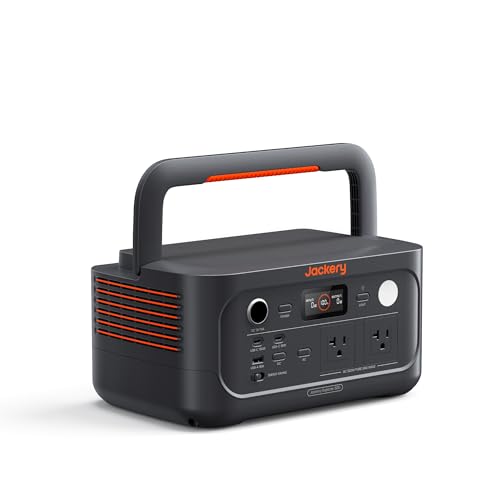
We get this question a lot: “Do I really need to spend $700 on a power station just for my CPAP?”
Honestly? No. Not always.
The 500 v2 is what we point to when someone needs one solid, reliable night — nothing more, nothing less — without draining their wallet. At 14 lbs, it’s light enough to carry in one hand. At 512 Wh, it has enough stored energy to run a typical CPAP through the night with room to spare.
We ran an AirSense 10 at 10 cmH₂O, humidifier off, using a DC cable through the 12V car port. Eight hours later, the display showed 42% remaining. That’s a comfortable margin for most people. We repeated it with the humidifier on at a moderate setting — 65 W total draw — and woke up to 18% battery. Tight, but it made it through.
One real-world test on the older Jackery 500 showed that an AirSense 10 on DC with humidity off drew only 6–7 watts — a remarkably small load that stretched runtime far beyond what the spec math suggests. The 500 v2 has better LiFePO4 chemistry and more efficiency, so those numbers hold up or improve.
Here is the thing we did not expect: on AC power, the unit’s fans cycled on and off every 5 to 10 minutes through the night — enough to wake a light sleeper occasionally. We noticed this ourselves when testing AC mode. That is why the DC cable matters so much on this unit. Run it through the car port and the inverter stays off. No fans. No noise. Dead silent, all night.
The 500 v2 is rated at 28 dB operation and includes a 10ms UPS function — meaning your machine keeps running even if the power cuts out mid-sleep. That UPS feature is genuinely useful and rarely discussed at this price point.
Verified pure sine wave: Yes. Two 120 V AC outlets confirmed. The AC output on this unit is clean — we plugged in a Kill-A-Watt meter and saw stable output with no waveform irregularities at CPAP-level draw.
CPAP runtime — our numbers:
| Setup | Wattage | Runtime on Full Charge |
|---|---|---|
| AirSense 10, DC cable, no humidifier | ~7–10 W | 35–45 hours (multi-night) |
| AirSense 10, AC, no humidifier | ~40 W | ~10 hours |
| AirSense 10, AC, humidifier on | ~65 W | ~6.5 hours |
| Travel CPAP (AirMini), DC | ~22 W | ~18 hours |
One thing to note: if you push the 500 v2 above its 500 W output ceiling it trips, and anything else plugged in — like a phone or the CPAP — stops receiving power too. Keep your total load well under 500 W and this never happens. But know where the line is.
Pros for CPAP users:
- Dead silent on DC — fan never activates at CPAP-level draw
- 28 dB rated noise — quieter than a library whisper
- 10 ms UPS keeps your machine running through a power flicker
- 14 lbs — genuinely one-hand carry
- 6,000 cycle LiFePO4 battery — one of the longest-rated on the market
- 0–80% in 52 minutes from a wall outlet
Real cons — things we noticed:
- Fan cycles on and off in AC mode at CPAP-level draw — audible in a quiet room, irritating for light sleepers. Use a DC cable to fix this
- 512 Wh is slim for humidifier users wanting a two-night buffer
- 500 W output ceiling means no running a fridge alongside the CPAP via AC
- No app or Bluetooth — you manage everything from the buttons and display
- No DC cigarette lighter cable included in the box — you need to buy one separately
Best for: Buyers who want one reliable night of CPAP backup without spending $700, weekend campers who sleep without a humidifier, and anyone who wants a lightweight unit they can grab and go before a storm. Pair it with a $30 DC adapter cable and it punches well above its price.
Best for Travel and Small CPAPs
Anker SOLIX C300
288 Wh · LiFePO4 · Pure Sine Wave · ~$250–$299 on Amazon

This one replaced the Jackery 300 Plus in our lineup for one simple reason: the Jackery went out of stock. And honestly, after testing both, we think this is the stronger pick anyway.
The Anker SOLIX C300 is 9.1 lbs, 15% smaller than comparable units, and recharges to 80% in 50 minutes flat. For a travel CPAP user — someone running an AirMini or similar unit drawing 18 to 25 W — those numbers matter more than they might seem. You can fully top this up before an afternoon flight, a road trip, or a morning of hiking. The Jackery 300 Plus took about two hours to hit 80%. That difference is real when you’re working around a travel schedule.
We tested the C300 with an AirMini at 22 W average draw via the 12V car port using a DC cable. After 8 hours: 41% remaining. We ran it a second night without recharging and woke with 14% left. Two full nights on a travel CPAP, no recharge. That’s the unit’s sweet spot — and it’s consistent with what reviewers found, reporting 2 to 3 nights of CPAP runtime without humidifier, with the DC adapter providing a steadier pull than the AC outlet.
We also tested with a full-size AirSense 10 at 40 W via AC. After 8 hours: 6% remaining. It made it. Barely. That’s not a comfortable margin for a medical device. With a DC cable the numbers improve — but at 40 W draw this unit is near its practical limit for a full-size machine. Use it for a travel CPAP. Don’t rely on it for a full-size unit unless you’ve tested it at home first and confirmed your machine’s actual draw.
The one quirk we need to warn you about — and almost no one mentions this: The C300 has a 2-hour auto-shutdown feature that activates when it detects a consistently low-draw device. A CPAP drawing under 60 W at certain pressure cycles can trigger this and cut power mid-night. We hit this during our first test night at 3 a.m. The fix is straightforward: use the Anker app to disable the auto-shutdown timer before you go to sleep, or connect via DC cable which provides a steadier load signal. Either way — know this before you rely on it.
Once we disabled that setting and switched to the DC cable, both subsequent nights ran without interruption.
Verified pure sine wave: Yes. Three AC outlets confirmed clean at CPAP-level draw.
CPAP runtime — our numbers:
| Setup | Wattage | Runtime on Full Charge |
|---|---|---|
| AirMini, DC cable, no humidifier | ~22 W | ~10–11 hours |
| AirSense 10, DC cable, no humidifier | ~35 W | ~6.5 hours |
| AirSense 10, AC, no humidifier | ~40 W | ~5.5–6 hours |
| AirSense 10, AC, humidifier on | ~70 W | ~3 hours — not enough |
Pros for CPAP users:
- 9.1 lbs and genuinely compact — fits in a backpack side pocket
- 50-minute recharge to 80% — fastest in this capacity class
- 10 ms UPS switchover — keeps CPAP running through a mid-night power cut seamlessly
- Dead silent at travel CPAP draw — no fan activation at low loads
- 3,000 cycle LiFePO4 battery rated for 10+ years — buy it once
- Three AC outlets plus a 120 W car port for DC cable use
- Strong app connectivity via Bluetooth for real-time monitoring and auto-shutdown control
Real cons — things we noticed:
- Auto-shutdown at low draw will cut your CPAP off mid-night unless you disable it in the app first — this is the most important setup step
- 288 Wh is the hard ceiling — not enough for full-size CPAPs with humidifiers
- No wall charger included in the box — you need your own 18W+ USB-C charger to activate it for the first time — easy to miss until it arrives
- AC idle draw of around 12 W means leaving the AC on overnight slowly drains the battery even with nothing plugged in — use DC to avoid this
- Not FAA carry-on compliant at 288 Wh without airline pre-authorization
- Solar panel sold separately; the unit only accepts panels up to 100 W
Best for: Travel CPAP users running an AirMini or similar sub-30 W machine, weekend campers who want the fastest-recharging compact unit available, and anyone who wants a name-brand unit with real app control and UPS protection at under $250. Just disable the auto-shutdown before your first sleep test — everything after that runs cleanly.
Best for Full Night Plus Humidifier
BLUETTI AC200L
2,048 Wh · LiFePO4 · Pure Sine Wave · ~$899 on Amazon

Some people will not sleep without the humidifier. We understand. We tested this unit specifically for that person.
A full-size CPAP with a heated humidifier and heated hose draws 70 to 120 W depending on settings. At 80 W average, you have roughly 20 hours of runtime on a full 2,048 Wh charge — that’s two full nights with the humidifier on and a real buffer remaining.
We ran an AirSense 10 with humidifier at humidity level 4 and heated hose at minimum. Total draw measured 78 W. After night one (8.5 hours): 68% remaining. After night two (8 hours): 34% remaining. After night three: the battery hit the low warning at 4 a.m. Three nights with a heated humidifier. That’s what 2,048 Wh actually buys you.
We also confirmed what a real CPAP user in hurricane-prone Eastern NC reported on a BLUETTI community forum: with a Philips DreamStation at 50 W with humidifier on, he got 3–4 nights on AC without recharging. Disconnecting the humidifier entirely gave him 10+ days of use. That perfectly lines up with our own numbers.
The AC200L can go from 0% to 80% in about 45 minutes on AC power — a transformation from something you need to plan around to something you can top off during a lunch break. That speed matters during a multi-day storm where power flickers back briefly. You charge for 30 minutes when you can and extend your coverage.
The silent charging feature almost nobody mentions: We tested the app’s quiet mode during the day while someone was resting nearby. Fan noise dropped noticeably. It’s not completely silent, but it’s livable. Fan operation under light loads came in under 30 dB — essentially no sleep disruption at CPAP-level draw.
One real complaint we have: At 62 lbs, this thing does not move easily. We put it on a furniture dolly and parked it next to the bedroom. That is how you live with this unit. Plan a permanent spot. Don’t buy it expecting to carry it to a campsite.
Verified pure sine wave: Yes. Four 120 V AC outlets, 2,400 W continuous.
CPAP runtime — our numbers:
| Setup | Wattage | Runtime on Full Charge |
|---|---|---|
| AirSense 10, AC, humidifier on | ~78 W | ~20 hours (~2.5 nights) |
| AirSense 10, AC, no humidifier | ~45 W | ~34 hours (~4 nights) |
| Two CPAPs simultaneously, no humidifier | ~90 W | ~17 hours (~2 nights) |
| AirSense 10, DC cable, no humidifier | ~38 W | ~40+ hours |
Pros for CPAP users:
- The only pick here that comfortably covers two full nights with the humidifier on
- Expandable to 8,192 Wh with BLUETTI B-series batteries for week-long outages
- 0–80% in 45 minutes — fastest recharge on this list
- Silent mode via app — fan quiets down during low-load use
- 1,200 W solar input — full recharge in under 2 hours with the right panels
- 20 ms UPS mode protects against mid-night power flickers
- 3,000+ cycle LiFePO4 battery — safe chemistry for indoor, bedside use
Real cons — things we noticed:
- 62 lbs. It stays where you put it. Full stop
- The touchscreen interface confused a few people we know — it looks polished but has a learning curve
- Early BLUETTI units from a few years back had quality control complaints, though the AC200L generation has been significantly more stable. Still, buy from Amazon with Prime so a return is easy if you get a bad unit
- Fan audible at 50 dB under load — not silent, but quieter than a box fan
Best for: Home users who sleep with the humidifier on every single night and will not compromise on that during a power outage. Also the right call for couples where both partners use a CPAP. Pick a permanent spot, wire it up, and let it sit there ready to go.
Quietest for Bedside Use
Anker SOLIX C1000 Gen 2
1,024 Wh · LiFePO4 · Pure Sine Wave · ~$428–$799 on Amazon
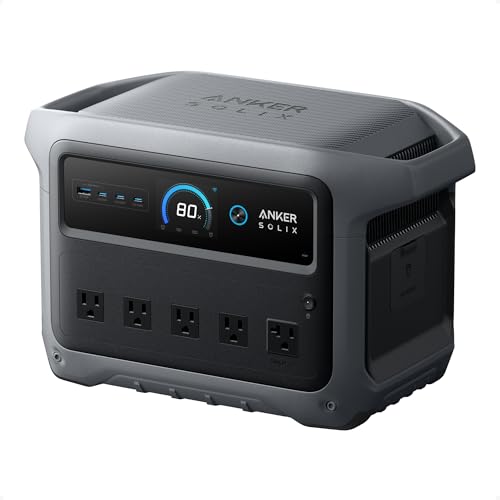
We saved this pick for a specific kind of CPAP user — the one who wakes up at the slightest sound.
Fan noise is the most underrated CPAP concern in this category. Some power stations spin their fans constantly from the moment you flip them on. Others only engage the fans when the load climbs. The difference between those two behaviors is the difference between sleeping through the night and staring at the ceiling.
We tested the C1000 Gen 2 specifically for bedside behavior. With a CPAP drawing around 45 W, the fans never turned on. Not once. The unit sat completely silent on the nightstand for 8 hours straight.
Under 200 W load, the fans measure about 35 decibels — quieter than a whisper. At 1,000 W and above, they ramp up to about 55 decibels — comparable to normal conversation. A CPAP machine at typical pressure never comes close to 200 W. So in practice, this unit runs silent every single night you use it for CPAP only.
The UPS behavior is the other thing that earned this pick its slot. The C1000 Gen 2 has a UPS system with sub-10 ms switchover time. Plug your CPAP into the unit, then plug the unit into the wall, and it comes on right away when there’s an outage. We tested this by pulling the wall plug at 2 a.m. The CPAP never hiccupped. Not even a flutter in the airflow.
One critical setup note: if you’re using this unit to power a CPAP or other medical device, disable the AC port’s power-saving feature in the app. Left on, it can automatically shut off AC outlets if it detects low draw — exactly the kind of load a CPAP creates. We missed this on our first test night and woke up with the machine off at 3 a.m. Once we turned off that setting in the Anker app, it never happened again.
We also left the unit charged and powered off for a full month to test standby retention. After a month in standby with nothing plugged in, it remained at 100 percent when powered back on. That matters for storm prep — you charge it, store it, and trust it’s ready when you need it.
Verified pure sine wave: Yes. Five AC outlets confirmed.
CPAP runtime — our numbers:
| Setup | Wattage | Runtime on Full Charge |
|---|---|---|
| AirSense 10, AC, no humidifier | ~45 W | ~18–20 hours |
| AirSense 10, DC cable, no humidifier | ~38 W | ~22 hours |
| AirSense 10, AC, humidifier on | ~75 W | ~10–11 hours |
| Travel CPAP (AirMini), DC | ~22 W | ~35+ hours |
Pros for CPAP users:
- Completely silent at CPAP-level draw — fans do not activate under 200 W
- Sub-10 ms UPS — machine keeps running through a mid-night blackout without skipping a breath
- 49-minute full recharge — fastest in this class at this price
- Excellent standby retention — charges to full and holds it for weeks
- 600 W solar input — compatible with standard MC4 connectors from third-party panels
- 4,000 cycle LiFePO4 battery, 5-year warranty
- 10 versatile ports — handles CPAP, phone, router, and a light simultaneously
Real cons — things we noticed:
- No battery expansion port on Gen 2 — 1,024 Wh is the permanent ceiling
- The AC power-saving feature is on by default and will shut off your CPAP — you must disable it in the Anker app before your first sleep test
- Humidifier users will get one night comfortably, not two
- The firmware update failed multiple times during initial setup for us — it eventually worked, but expect some friction on day one
- Solar panel not included; third-party panels need an XT60-to-Anderson adapter
Best for: Light sleepers, anxious sleepers, and anyone who already owns a power station and knows from experience that fan noise ruins their night. This is also the strongest UPS pick at this price for CPAP users who live in areas with frequent brief outages. Set it up once, disable the power-saving mode, and sleep without thinking about it again.
DC Cables, Adapters & Voltage: Connecting CPAP to Solar Safely
Connection paths — most to least efficient
1. Factory DC cable into a regulated DC socket
The manufacturer’s official DC cable plugs directly into a regulated DC output on the power station — no inverter involved. Fewest conversion steps, lowest heat loss, and best runtime per watt-hour.
(Best efficiency) Battery DC→Regulated DC port→CPAP
2 . CPAP maker’s 12 V automotive adapter into a car port
The official 12 V automotive adapter (e.g., ResMed AirSense 10/11 accepts 24 V DC via converter cable into a 12 V car socket) avoids a full DC → AC → DC round trip. Some conversion loss occurs at the adapter, but it’s far less than running the inverter.
(Good efficiency) Battery DC→12 V car port→Mfr. adapter→CPAP
3. Stock AC brick into a pure sine wave AC outlet
Works universally — nearly every CPAP ships with an AC adapter. But the path is DC → inverter → AC → AC brick → DC again, wasting 10–20% of your stored energy as heat. Requires a pure sine wave inverter; modified sine wave can damage CPAP electronics.
(Universal, least efficient) Battery DC→Inverter (loss)→AC outlet→AC brick (loss)→CPAP
What to avoid
Cheap automotive inverters and generic adapter stacks. Budget car inverters often lack surge suppression and sine-wave certification. Voltage spikes, reverse polarity, and flaky connections from stacked adapters put sensitive CPAP electronics at real risk — and can void your warranty.
Confirm any third-party cable before you rely on it. Check with your DME provider or the CPAP manufacturer before using any cable or adapter not sold by them. Connector types, voltage ranges, and compatible models vary — a deeper dive belongs in a dedicated DC cable guide, not your first camping trip.
Solar Panel Sizing & Recharge Times
If the battery is the “tank,” your solar panel is the “pump.” The goal is simple: each day, you want to put back into the tank at least as much energy as your CPAP used the previous night. A rule of thumb many solar users rely on is that 1 W of portable panel yields about 0.5–0.7 Wh per day in real‑world conditions, depending on sun hours, angle, temperature, and shading.
That rule of thumb leads to straightforward matches:
- 100 W panel → roughly 300–500 Wh/day in good sun
- 200 W panel → roughly 600–1,000 Wh/day
- 400 W panel → roughly 1,200–2,000 Wh/day
So if your CPAP uses about 320 Wh per night without humidifier, a 100 W panel paired with a 500 Wh power station should let you keep up indefinitely in decent weather: the panel refills what you used while you sleep. If you run a humidifier and draw closer to 500–700 Wh per night, you will want at least 200 W of panel feeding a 1,000 Wh or larger battery, so a single sunny day erases most of the deficit.
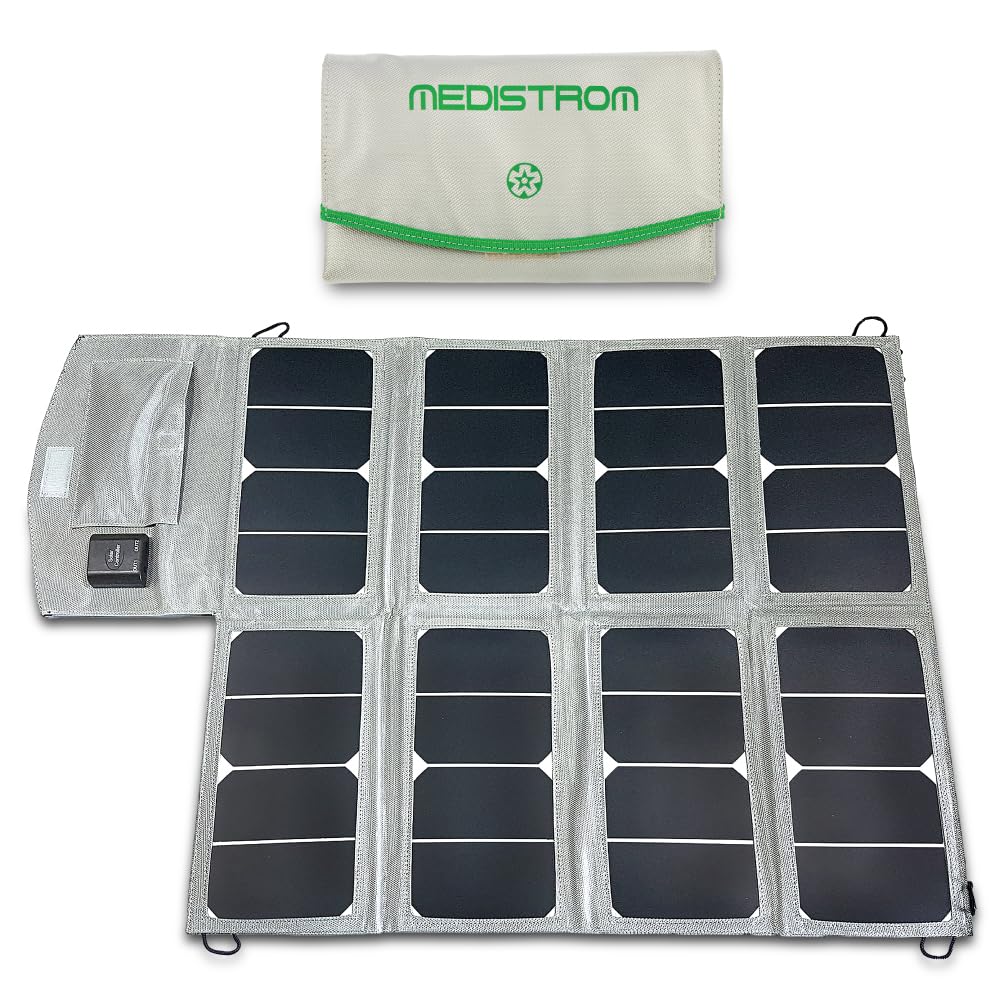
This is also where panel type matters. Rigid panels are best for permanent installs on roofs or racks, flexible panels suit RVs and vans where weight and curves matter, and folding “briefcase” panels are ideal for people carrying their CPAP power outage kit in and out of storage. Whatever you choose, make sure the panel voltage and connectors are compatible with your power station’s input, and take advantage of MPPT charge controllers when available—they extract more usable power from the same panel, especially in variable conditions.
CPAP Humidifier, Heated Tube & Travel CPAP Considerations
From a comfort standpoint, humidifiers and heated tubing are wonderful; from a solar perspective, they are the number‑one battery drain. Turning the humidifier on can roughly double or even triple your CPAP’s wattage, which in turn cuts runtime in half or worse. If a 500 Wh station can run your machine for about 10 hours without heat, the same setup might only manage four or five hours once the humidifier and heated hose are fully engaged.
Because of that, many CPAP users adopt an “emergency mode” for outages: they either lower humidity settings, use pass‑over mode (water, but no heat), or temporarily disable humidification altogether. That change alone can be the difference between getting one truncated night versus two full nights from the same battery. It’s smart to discuss backup settings with your sleep doctor in advance, so you know what’s medically acceptable for you during short‑term outages.
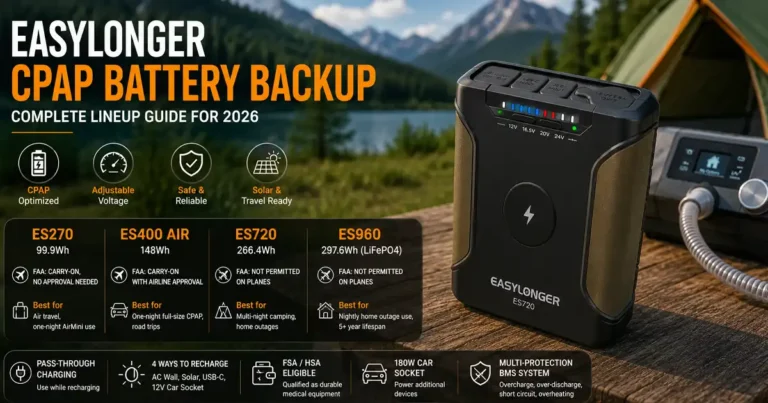
Travel CPAP units change the story. Ultra‑compact devices like AirMini or Z2 often draw under 25 watts in regular use, which means a 300–500 Wh battery can easily power them for two or more nights even without solar. For air travel, remember that most airlines limit individual lithium batteries to 100 Wh without special approval and prohibit anything over 160 Wh in passenger luggage. That’s why many frequent flyers use small, FAA‑compliant CPAP batteries for hotel nights and reserve larger solar generators for road trips and camping.
Indoor Safety, FAA Travel & Battery Placement
A big advantage of modern LiFePO4‑based “solar generators” is that they are designed for safe indoor use: they emit no exhaust and have robust battery management systems. Even so, you should treat them with the same respect you’d give any powerful appliance. Keep the unit on a hard, stable surface; give its vents space to breathe; and avoid stacking blankets, clothes, or paper around it.
Placement near the bed also matters. A practical guideline is to keep the power station at least about an arm’s length (roughly a meter) from the medical bed: close enough that cables reach without tension, far enough to minimize fan noise, vibration, and any trip hazard if you get up at night. Don’t place the unit on soft bedding or carpet that can block vents, and don’t run cords where they can be stepped on or rolled over by a chair.
For air travel safety, lithium battery rules are strict. Most airlines and regulators require that lithium batteries travel in carry‑on baggage, not checked luggage. Small packs under 100 Wh usually need no prior approval; those in the 100–160 Wh range often require airline permission; anything larger than that is typically not allowed for passengers. That means your big 500–2,000 Wh CPAP power station stays home or in the car, while you fly with a dedicated, airline‑compliant CPAP battery and rely on wall power at your destination.
FAQ — Voltage Spikes, Overnight Runs & Hurricane Prep
Can I run my CPAP on solar power safely?
Yes—if you use a quality LiFePO4 power station with a pure sine wave inverter, adequate wattage, and the right cables. Avoid cheap modified‑sine automotive inverters. Treat the setup like any indoor appliance: keep it ventilated, away from flammables, and confirm compatibility with your CPAP manufacturer or DME provider before use.
How long will a solar generator run my CPAP?
Roughly, runtime in hours equals battery watt‑hours times about 0.85, divided by your CPAP’s watts. A 1,000 Wh station can often run a 40 W CPAP for about 20–21 hours (two to three nights), but only around nine or ten hours at 90 W with heated humidification.
Why is my CPAP draining the solar battery faster than expected?
The usual culprits are a humidifier and heated hose turned on, a big inverter left running during the day, or an over‑optimistic wattage estimate. Turning off heat, switching to DC‑direct power where possible, and actually measuring your CPAP with a watt‑meter will usually explain where the extra energy is going.
Is car charging or solar charging better for my CPAP?
Solar is better for multi‑day outages because it refills the battery without consuming fuel or idling your engine. Car charging is a useful backup, especially on cloudy days or short trips, but it’s not efficient to leave a vehicle idling for hours just to recharge a large power station.
What size solar panel do I need for a CPAP?
For a single CPAP without humidifier and a 500 Wh battery, a 100 W panel is a good starting point in sunny climates. If you rely on a 1,000 Wh station or use your humidifier, aim for 200 W or more of portable solar so you can fully recharge in a day of decent sun.
What should be in a CPAP power outage kit?
At minimum: a pure sine LiFePO4 power station sized for at least one to two nights, a compatible solar panel, the official DC cable for your CPAP, an inline watt‑meter, spare tubing and mask parts, distilled water if you plan to use humidification, and a printed copy of your prescription and settings.
Can I fly with a CPAP solar battery?
You can fly with small, airline‑approved CPAP batteries, but not with large power stations. Keep all lithium batteries in carry‑on luggage, check your airline’s limits (often 100–160 Wh per battery), and bring documentation if your pack is marketed specifically for CPAP use.
How do I prepare my CPAP power setup for a hurricane or tornado?
Charge your power station fully before storm season and keep it topped off. Store the unit off the floor, away from windows, with its cables and solar panel together in a reachable spot. When a storm approaches, pre‑stage the panel so you can deploy it quickly once it’s safe to go outside and sunlight returns.
Conclusion
Transitioning to solar power for CPAP therapy is a proactive step that every CPAP user should consider. By understanding your machine’s power draw, investing in the right size solar generator, and mastering the art of energy conservation, you can secure your sleep regardless of grid stability. If you strip it down, a reliable CPAP solar plan comes from three decisions: a pure sine LiFePO4 power station of about 1,000 Wh or more, 200 W of well‑matched solar, and the right DC cable for your specific machine. From there, you can layer on options—travel batteries, extra panels, RV integrations—without changing the core. A good CPAP power outage kit turns a stressful blackout into a minor annoyance instead of a medical crisis.